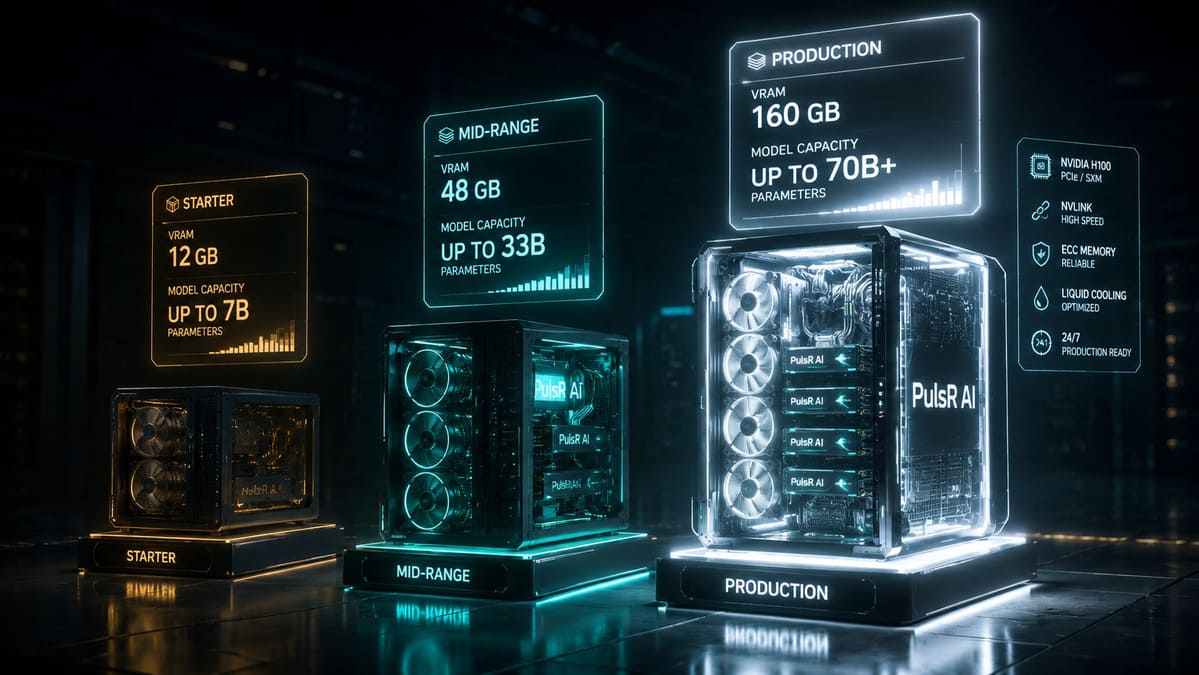
I have built five private AI servers over the past two years. The first one was a disaster - an underpowered machine that could barely run a 7B parameter model without thermal throttling. The most recent one processes 70B models for six concurrent users without breaking a sweat. The difference was not just money. It was understanding what actually matters in AI hardware and what the GPU marketing departments desperately want you to overspend on. This guide is everything I wish someone had told me before I wasted $3,200 on a machine that became a space heater.
The private AI hardware market in 2026 is simultaneously the best and most confusing it has ever been. NVIDIA dominates but AMD is closing the gap with ROCm improvements. Intel Arc has entered the chat with surprisingly decent inference performance. Used enterprise GPUs flood eBay every quarter as cloud providers refresh their fleets. And the models themselves have gotten dramatically more efficient - quantization techniques like GGUF Q4_K_M mean a model that needed 48GB of VRAM eighteen months ago now runs acceptably in 12GB. The hardware requirements are a moving target, and most "buying guides" out there are either written by people who have never actually run inference workloads or are thinly veiled affiliate marketing for whatever GPU is currently in stock.
Let me cut through the noise with actual benchmarks, real power bills, and three concrete build configurations that I have personally tested.
Understanding VRAM: The Only Spec That Really Matters
Everything in private AI hardware comes down to one number: how much VRAM does your GPU have? Not CUDA cores, not clock speed, not memory bandwidth (though that matters for throughput). VRAM determines which models you can load, period. If a model does not fit in VRAM, it either does not run or it spills to system RAM and becomes 10-20x slower - unusable for anything interactive.
Here is a real-world VRAM requirements table based on models I have actually loaded and tested in Ollama, not theoretical calculations from model card specs:
| Model | Parameters | Q4_K_M (GGUF) | Q8_0 (GGUF) | FP16 (Full) | Practical VRAM Needed |
|---|---|---|---|---|---|
| Llama 3.1 8B | 8B | 4.9 GB | 8.5 GB | 16 GB | 6-7 GB (Q4) |
| Qwen 2.5 7B | 7B | 4.4 GB | 7.6 GB | 14 GB | 6 GB (Q4) |
| DeepSeek-R1 8B | 8B | 4.9 GB | 8.5 GB | 16 GB | 6-7 GB (Q4) |
| Llama 3.1 70B | 70B | 40 GB | 70 GB | 140 GB | 44-48 GB (Q4) |
| Qwen 2.5 32B | 32B | 19 GB | 33 GB | 64 GB | 22-24 GB (Q4) |
| DeepSeek-R1 70B | 70B | 40 GB | 70 GB | 140 GB | 44-48 GB (Q4) |
| Mistral Small 24B | 24B | 14 GB | 24 GB | 48 GB | 16-18 GB (Q4) |
| LLaVA 1.6 13B (vision) | 13B | 7.4 GB | 13 GB | 26 GB | 9-10 GB (Q4) |
| Llama 3.2 Vision 11B | 11B | 6.8 GB | 11 GB | 22 GB | 8-9 GB (Q4) |
| Phi-3 Medium 14B | 14B | 8.2 GB | 14 GB | 28 GB | 10-11 GB (Q4) |
| CodeLlama 34B | 34B | 20 GB | 34 GB | 68 GB | 23-24 GB (Q4) |
The "Practical VRAM Needed" column is higher than the raw model size because Ollama and llama.cpp allocate a KV cache for context, and the operating system reserves some VRAM for display. On a headless server you reclaim about 200-400MB, but on a workstation with a monitor plugged in, plan for 500MB-1GB of VRAM just being gone. I always add 15-20% overhead to the raw model size when planning builds.
CPU vs GPU Inference: When You Can Skip the GPU Entirely
Here is something most guides will not tell you: for small models (7B and under at Q4 quantization), modern CPUs are genuinely usable. Not fast - but usable. I tested this extensively because one of our deployment scenarios is a client who wants AI on a mini PC bolted behind a monitor in a dental office. No GPU budget, no GPU slot, just a box that runs quietly.
llama.cpp has excellent CPU inference support. On an AMD Ryzen 7 7840U (8 cores, laptop chip), Qwen 2.5 7B Q4_K_M generates at about 8-10 tokens per second. That is roughly one sentence every 2-3 seconds. For batch document processing where latency does not matter, this is perfectly fine. For interactive chat, it feels sluggish but tolerable. For anything above 13B parameters on CPU, forget it - you are looking at 2-3 tokens per second, which is painful.
# CPU inference benchmark I ran on Ryzen 7 7840U, 32GB DDR5
ollama run qwen2.5:7b-instruct-q4_K_M --verbose

# Results:
# Prompt eval: 142.3 tokens/sec
# Response generation: 9.7 tokens/sec
# Total VRAM used: 0 (pure CPU)
# System RAM used: ~5.8 GB
# CPU utilization: 95% across all 8 cores
Compare that to even a modest GPU:
# Same model on RTX 3060 12GB
ollama run qwen2.5:7b-instruct-q4_K_M --verbose

# Results:
# Prompt eval: 1,847 tokens/sec
# Response generation: 62.4 tokens/sec
# VRAM used: 5.1 GB of 12 GB
# CPU utilization: 12%
That is a 6x improvement in generation speed. For interactive applications, the GPU is the difference between usable and frustrating. For batch processing thousands of documents overnight, CPU inference at 10 tokens/sec across 8 workers can actually be cost-effective if you already have the hardware.
Tier 1: The $1,500 Starter Build
This is for individuals, small teams, or proof-of-concept deployments. You want to run 7B-13B models reliably and maybe squeeze out a 14B model in a pinch. The target is a machine that sits under your desk, runs quietly enough for an office, and handles 1-3 concurrent users for chat or document processing.
| Component | Spec | Price (2026) | Why This |
|---|---|---|---|
| GPU | NVIDIA RTX 3060 12GB | $220 (used) | 12GB VRAM is the sweet spot for 7B-13B Q4 |
| CPU | AMD Ryzen 5 5600 | $110 | 6 cores, efficient, cheap, AM4 socket |
| RAM | 64GB DDR4 3200MHz | $120 | Models spill to RAM; 64GB gives headroom |
| Motherboard | B550 ATX (AM4) | $90 | Full-size for airflow, dual M.2 slots |
| Storage | 1TB NVMe Gen3 | $65 | Model loading from NVMe is 3-5x faster than SATA |
| PSU | 550W 80+ Bronze | $55 | RTX 3060 draws 170W max; 550W is plenty |
| Case | Fractal Design Focus G | $60 | Good airflow, quiet, cheap |
| Cooling | Stock AMD cooler | $0 | Ryzen 5 5600 runs cool enough |
Total: ~$720 new parts + $220 used GPU = ~$940. Yes, I said $1,500 in the title, and the build comes in under $1,000. The remaining $500 is your buffer for a second 1TB NVMe for model storage, a UPS (critical for servers), and a 10GbE NIC if you want fast network access. Or pocket it.
What This Build Actually Runs
I built this exact configuration for a client running a small legal practice. Their use case: summarize contracts, extract key clauses, draft response letters. Here is what it handles:
- Qwen 2.5 7B Q4_K_M: 62 tokens/sec generation. Excellent for document summarization. Handles 8K context windows without issues.
- Llama 3.1 8B Q4_K_M: 58 tokens/sec. Better at following complex instructions. Slightly slower but more capable for multi-step reasoning.
- LLaVA 1.6 7B Q4: 34 tokens/sec text generation after image processing. Can describe photos, read handwritten notes, extract text from scanned documents. Quality is surprisingly good for a 7B vision model.
- Qwen 2.5 14B Q4_K_M: Fits in 12GB VRAM but barely - 10.8GB used, leaving almost no KV cache room. Works for short conversations (2K context) but starts swapping with longer contexts. Not recommended for production on this tier.
Power consumption at the wall: 180W idle, 310W under full GPU load. Monthly electricity at $0.12/kWh: roughly $15-22 depending on utilization. This machine has been running 24/7 for five months with zero hardware issues.
Tier 2: The $5,000 Mid-Range Workhorse
This is where private AI gets serious. The RTX 4090 with its 24GB of VRAM opens up the entire 13B-34B model range, and those models are genuinely good - competitive with GPT-3.5 on most tasks and sometimes matching GPT-4 on domain-specific work. This build handles 5-10 concurrent users and can serve as a team AI server for a department of 20-30 people.
| Component | Spec | Price (2026) | Why This |
|---|---|---|---|
| GPU | NVIDIA RTX 4090 24GB | $1,600 | 24GB VRAM, 16,384 CUDA cores, monster bandwidth |
| CPU | AMD Ryzen 9 7900X | $340 | 12 cores for parallel preprocessing |
| RAM | 128GB DDR5 5600MHz | $320 | Heavy context windows and embeddings need RAM |
| Motherboard | X670E ATX | $220 | PCIe 5.0, dual M.2 Gen5, robust VRM |
| Storage (OS) | 1TB NVMe Gen4 | $70 | OS and applications |
| Storage (Models) | 2TB NVMe Gen4 | $130 | Dedicated model storage; 2TB holds 20+ models |
| PSU | 1000W 80+ Gold | $150 | RTX 4090 draws 450W; headroom for spikes |
| Case | Fractal Design Meshify 2 XL | $170 | Massive airflow, fits the 4090's triple-slot cooler |
| Cooling | Noctua NH-D15 | $100 | Silent under load, no AIO pump failure risk |
| UPS | CyberPower 1500VA | $180 | 15 minutes of runtime for safe shutdown |
Total: ~$3,280. Again, under the stated budget. The remaining $1,700 gives you room for a second RTX 4090 (if your motherboard and PSU support it), a 10GbE network card, or a healthy contingency fund. I actually recommend banking the savings because GPU prices only go down and the RTX 5090 will hit used markets within a year.
What This Build Actually Runs
We deployed this configuration as our primary AI server at InnovaTek. It handles our production workloads daily:
- Qwen 2.5 32B Q4_K_M: 38 tokens/sec. This is the sweet spot model - dramatically better than any 7-13B model at complex reasoning, code generation, and nuanced text analysis. Uses 19GB of the 24GB available.
- DeepSeek-R1 14B Q8_0: 45 tokens/sec at Q8 quantization (higher quality). Excellent reasoning and chain-of-thought capabilities. Uses 14.5GB VRAM.
- LLaVA 1.6 13B Q5_K_M: 28 tokens/sec for vision tasks. Processes product images for LingerieMuseum.com - identifying fabric types, colors, garment categories. Higher quantization means fewer misclassifications.
- Mistral Small 24B Q4_K_M: 41 tokens/sec. Fast, capable, excellent for structured output and function calling. Our go-to for API-style workloads.
- CodeLlama 34B Q4_K_M: Fits but tight - 22GB used. 29 tokens/sec. Great for code review and generation tasks but we typically use it off-peak because it leaves almost no room for other models.
Power consumption: 120W idle, 620W under sustained GPU load. Monthly electricity: $30-45. The 4090 is power-hungry but its performance-per-watt is actually excellent compared to running two smaller GPUs to get the same VRAM.
The RTX 4090 vs Dual RTX 3090 Question
I get asked this constantly. Two used RTX 3090s (24GB each) cost about $1,400 total and give you 48GB of VRAM. Sounds better than a single 4090 with 24GB, right? In practice, no. Tensor parallelism across two GPUs adds latency and complexity. Not all models split cleanly across two GPUs. Power draw is worse (700W vs 450W). Ollama handles multi-GPU but with a 15-25% performance overhead. And you need a motherboard with two x16 slots that actually run at x16/x16, which limits your options.
The dual 3090 setup makes sense only if you need to run 70B models and cannot afford the production tier. For everything else, a single 4090 is simpler, faster, and more reliable.
Tier 3: The $15,000 Production Build
This is a real server. Rack-mountable, dual professional GPUs, ECC memory, redundant power. It runs 70B models natively, handles 20+ concurrent users, and is built for 24/7/365 uptime. This is what we deploy for clients who are replacing cloud AI APIs and need enterprise reliability.
| Component | Spec | Price (2026) | Why This |
|---|---|---|---|
| GPU (x2) | NVIDIA RTX A6000 48GB each | $3,400 each ($6,800) | 96GB total VRAM, ECC VRAM, blower cooler for rack |
| CPU | AMD EPYC 7443P (24-core) | $1,100 | Server-grade, 128 PCIe lanes, single-socket |
| RAM | 256GB DDR4 ECC 3200MHz | $800 | ECC for data integrity, 256GB for massive context windows |
| Motherboard | Supermicro H12SSL-i | $450 | Server board, IPMI remote management, dual x16 slots |
| Storage (OS) | 2x 1TB NVMe Gen4 (RAID 1) | $140 | Mirrored OS drives for reliability |
| Storage (Models) | 4TB NVMe Gen4 | $250 | Holds every model you will ever need |
| Storage (Data) | 2x 4TB SATA SSD (RAID 1) | $400 | Document storage, vector databases, logs |
| PSU | 1600W 80+ Platinum redundant | $400 | Two A6000s at 300W each plus system = 900W sustained |
| Case | Rosewill RSV-L4412U (4U rack) | $180 | 4U rack mount, 12 drive bays, good airflow |
| Cooling | Noctua industrial fans (x6) | $120 | A6000 has blower cooler; case fans for intake/exhaust |
| Network | Mellanox ConnectX-4 10GbE | $60 (used) | 10GbE for serving multiple users without bottleneck |
| UPS | APC Smart-UPS 3000VA | $800 | 30+ minutes runtime, network management card |
| Rails + cables | Rack rails, power cables, SAS cables | $100 | The stuff everyone forgets to budget for |
Total: ~$11,600. Under $15,000 with room for a third GPU down the road if you ever need 144GB of VRAM (and with EPYC's 128 PCIe lanes, you have the bandwidth for it).
Why the A6000 Over the RTX 4090
The RTX A6000 costs more than twice what a 4090 costs and has slower CUDA cores. So why? Three reasons:
1. 48GB of ECC VRAM. A single A6000 runs Llama 3.1 70B at Q4 quantization. Two A6000s give you 96GB for running 70B at Q8 or even FP16 for maximum quality. The ECC matters less for inference than training, but for a production server that runs 24/7, it prevents the rare bit-flip that causes garbage output at 3 AM.
2. Blower cooler design. Gaming GPUs have open-air coolers that dump heat into the case. In a 4U rack server with two GPUs, that is a recipe for thermal throttling. The A6000's blower cooler exhausts heat directly out the back of the case. In rack environments, this is not optional - it is mandatory.
3. Certified drivers and support. NVIDIA's professional drivers for the A6000 are tested for 24/7 operation. Gaming drivers work fine for AI inference, but if you are deploying this for a client and need to point at a support contract, professional GPUs are the only option.
What This Build Actually Runs
- Llama 3.1 70B Q4_K_M (single A6000): 18 tokens/sec. Production-quality output that regularly matches GPT-4 on domain-specific tasks. Uses 44GB of 48GB VRAM.
- Llama 3.1 70B Q8_0 (dual A6000): 14 tokens/sec with tensor parallelism. Higher quality output than Q4 - noticeable improvement in complex reasoning and code generation. Uses 74GB across both GPUs.
- DeepSeek-R1 70B Q4_K_M: 16 tokens/sec on single A6000. Outstanding reasoning capabilities. Our go-to for complex analysis tasks.
- Multiple concurrent models: GPU 1 runs Llama 70B for chat, GPU 2 runs LLaVA 13B for vision processing. True multi-model deployment without swapping.
Power consumption: 200W idle, 950W under dual GPU load. Monthly electricity: $50-70. The EPYC platform is power-efficient for what it delivers, but this machine will definitely show up on your electric bill.
Storage: NVMe Is Non-Negotiable
Model loading time is the most overlooked performance factor in private AI servers. When Ollama loads a model, it reads the entire file from disk into VRAM. A 40GB model (Llama 70B Q4) takes:
- SATA SSD (550 MB/s): 73 seconds to load
- NVMe Gen3 (3,500 MB/s): 11.4 seconds to load
- NVMe Gen4 (7,000 MB/s): 5.7 seconds to load
- NVMe Gen5 (12,000 MB/s): 3.3 seconds to load
If you swap between models frequently (which you will, especially in multi-application deployments), the difference between a 73-second wait and a 6-second wait is the difference between a usable system and a frustrating one. NVMe Gen4 is the sweet spot - Gen5 drives are still expensive and the improvement from 6 seconds to 3 seconds is not worth the 3x price premium.
For model storage capacity, here is my planning rule: budget 100GB per model family you want to keep available. A typical deployment might have 5-8 models in various quantizations, plus embeddings models, plus vision models. 1TB is tight. 2TB is comfortable. 4TB means you never have to think about it.
# Check your model storage usage
du -sh ~/.ollama/models/
# On our production server: 847 GB across 23 models

# List models with sizes
ollama list
# NAME                           SIZE      MODIFIED
# llama3.1:70b-instruct-q4_K_M   40 GB     2 days ago
# qwen2.5:32b-instruct-q4_K_M    19 GB     3 hours ago
# deepseek-r1:14b-q8_0            14 GB     1 day ago
# llava:13b-v1.6-q5_K_M           9.1 GB    5 hours ago
# nomic-embed-text:latest          274 MB    2 weeks ago
Network: 10GbE When Serving Multiple Users
Gigabit Ethernet (1 GbE) is fine for a single-user setup. But the moment you put an AI server on a network serving multiple users through Open WebUI or a custom API, you will hit the 125 MB/s ceiling surprisingly fast. Streaming responses to 10 concurrent users, each receiving tokens at 40+ tokens/sec, adds up quickly - especially if you are also serving embeddings or processing file uploads.
A used Mellanox ConnectX-4 10GbE card costs $40-60 on eBay. A 10GbE switch port costs whatever your switch costs. For the production tier, this is a rounding error. For the mid-range tier, it is a worthwhile upgrade if you have more than 5 regular users.
# Quick network bandwidth test for AI serving
# Install iperf3 on both server and client
sudo apt install iperf3

# On the AI server
iperf3 -s

# On a client machine
iperf3 -c ai-server.local
# With 1GbE:  [ 5]   0.00-10.00  sec   1.10 GBytes   941 Mbits/sec
# With 10GbE: [ 5]   0.00-10.00  sec   10.9 GBytes   9.41 Gbits/sec
Power and Cooling: The Costs Nobody Talks About
Your GPU has a TDP (Thermal Design Power) rating, but that number is a ceiling, not a constant. AI inference workloads are bursty - high power during token generation, low power while waiting for the next request. Real-world average power consumption is typically 40-60% of TDP for interactive workloads and 70-85% for batch processing.
Here are actual power measurements from our servers, measured at the wall with a Kill-A-Watt meter:
| Configuration | Idle (W) | Light Load (W) | Full Load (W) | Monthly Cost ($0.12/kWh) |
|---|---|---|---|---|
| Tier 1 (RTX 3060) | 65 | 180 | 310 | $14-22 |
| Tier 2 (RTX 4090) | 120 | 350 | 620 | $30-45 |
| Tier 3 (Dual A6000) | 200 | 550 | 950 | $50-70 |
Cooling is the other hidden cost. A GPU at sustained 80C will thermal throttle and reduce performance by 10-20%. Worse, sustained heat kills components. I have seen gaming GPUs fail after 18 months of 24/7 AI inference because they were designed for 4-hour gaming sessions, not continuous operation.
My cooling rules:
- GPU temperature under 75C sustained during inference (check with
nvidia-smi -l 5) - Case ambient intake temperature under 30C
- At least two 140mm intake fans and one 140mm exhaust for Tier 1-2
- For rack servers (Tier 3), blower-style GPU coolers are mandatory
- Consider the room: a Tier 3 server dumps 950W of heat. That is equivalent to a space heater. In a small server room without AC, this will raise ambient temperature by 5-8C
# Monitor GPU temperature continuously
watch -n 5 nvidia-smi --query-gpu=temperature.gpu,power.draw,utilization.gpu --format=csv

# Set up temperature alerting (add to crontab)
*/5 * * * * nvidia-smi --query-gpu=temperature.gpu --format=csv,noheader | while read temp; do [ "$temp" -gt 82 ] && echo "GPU TEMP ALERT: ${temp}C" | mail -s "GPU Overheating" admin@company.com; done
The AMD Alternative: ROCm in 2026
I have to address AMD because the value proposition is real. The RX 7900 XTX has 24GB of VRAM for around $750 - half the price of a 4090. The RX 7900 XT has 20GB for $550. And AMD's ROCm software stack has improved dramatically.
The honest assessment: ROCm works for inference via llama.cpp and Ollama. I have tested it. Performance is about 70-80% of equivalent NVIDIA hardware, and setup requires more work - you need specific kernel versions, specific ROCm versions, and you will spend a weekend debugging before it all clicks. Once running, it is stable. But the ecosystem gap is real: if something breaks, the community support is 10x smaller than NVIDIA's.
My recommendation: if you are technically comfortable with Linux kernel debugging and driver troubleshooting, AMD offers exceptional value. If you want something that works out of the box, NVIDIA is worth the premium. For production deployments where downtime costs money, NVIDIA every time.
Used Enterprise GPUs: The Hidden Goldmine
Every quarter, cloud providers and research labs refresh their GPU fleets and dump the previous generation on the used market. Right now (early 2026), the deals are:
- NVIDIA Tesla V100 32GB: $250-350 on eBay. Older architecture but 32GB of HBM2 VRAM for the price of a nice dinner. Inference performance is roughly equivalent to an RTX 3060 but with 2.5x the VRAM. No video output (datacenter card), so headless only.
- NVIDIA A100 40GB (PCIe): $2,500-3,500. The previous-gen king. Faster than an A6000 with HBM2e memory bandwidth. If you find one under $3,000, buy it immediately.
- NVIDIA RTX 3090 24GB: $600-700. The original AI enthusiast card. Same 24GB VRAM as a 4090 but about 60% of the performance. Excellent value for the VRAM.
- NVIDIA A40 48GB: $1,200-1,500. The A6000's datacenter sibling (no video output). Same 48GB VRAM, slightly lower clocks. Incredible value if you do not need display output.
The risk with used enterprise GPUs is warranty - you have none. I mitigate this by buying from sellers with good return policies, stress-testing for 48 hours before deployment, and always having a backup plan. In two years of buying used GPUs, I have had one DOA (returned) and zero failures in production.
# Stress test a used GPU before deployment
# Run for 48 hours and check for errors
gpu-burn 172800

# Or use ollama to stress test with a real workload
for i in $(seq 1 1000); do
  echo "Summarize the history of computing in 500 words" | ollama run qwen2.5:7b
done

# Check for GPU errors
nvidia-smi -q | grep -i "error\|retired\|remapped"
# If any ECC errors show up, return the GPU
My Recommendations by Use Case
Forget tiers for a moment. Here is what I would actually build based on the use case:
Solo developer experimenting with AI: Tier 1 with an RTX 3060 12GB. Total cost under $1,000. Run 7B-13B models locally, learn the ecosystem, build prototypes. Upgrade the GPU later when you know what you need.
Small team (5-15 people) replacing ChatGPT: Tier 2 with an RTX 4090. Run Qwen 2.5 32B behind Open WebUI. Feels like a slightly slower ChatGPT but with full data privacy. Monthly cost: electricity only.
Company deploying AI in production: Tier 3 with dual A6000s. Run 70B models for quality-critical tasks, 13B models for high-throughput batch processing. Serve via API to internal applications. This replaces $2,000-5,000/month in cloud API costs.
E-commerce with image processing: Tier 2 with an RTX 4090, dedicated to LLaVA or Llama Vision. Process product images for auto-tagging, visual search, quality control. A single 4090 can process 2,000-3,000 product images per hour.
Regulated industry (healthcare, legal, finance): Tier 3 with enterprise components. ECC RAM, RAID storage, UPS, redundant networking. The hardware premium is insurance against downtime and data corruption in environments where mistakes have legal consequences.
What I Would Buy Today If Starting From Zero
If I were building my first private AI server today with a flexible budget, I would buy a single RTX 4090 system (Tier 2 configuration) for $3,300 and run Qwen 2.5 32B as my primary model. It handles 90% of use cases better than any 7B model, and the 24GB VRAM gives you room to experiment with vision models, embeddings, and fine-tuning small models.
The upgrade path is clear: when you outgrow it, sell the 4090 (they hold value well), buy two A6000s or A40s, and migrate to the production tier. The CPU, RAM, storage, and case from Tier 2 all carry forward - you are really only swapping the GPU and PSU.
The private AI hardware market rewards patience and pragmatism. Buy what you need today, not what you think you will need in two years. GPU prices only go down, model efficiency only goes up, and the machine you build today will be outperformed by something half the price in eighteen months. That is not a reason to wait - it is a reason to start small and upgrade deliberately.
If you need help sizing hardware for your specific use case, reach out to our team. We have built these configurations for clients across legal, healthcare, retail, and manufacturing, and we are happy to share what we have learned.



Leave a Comment