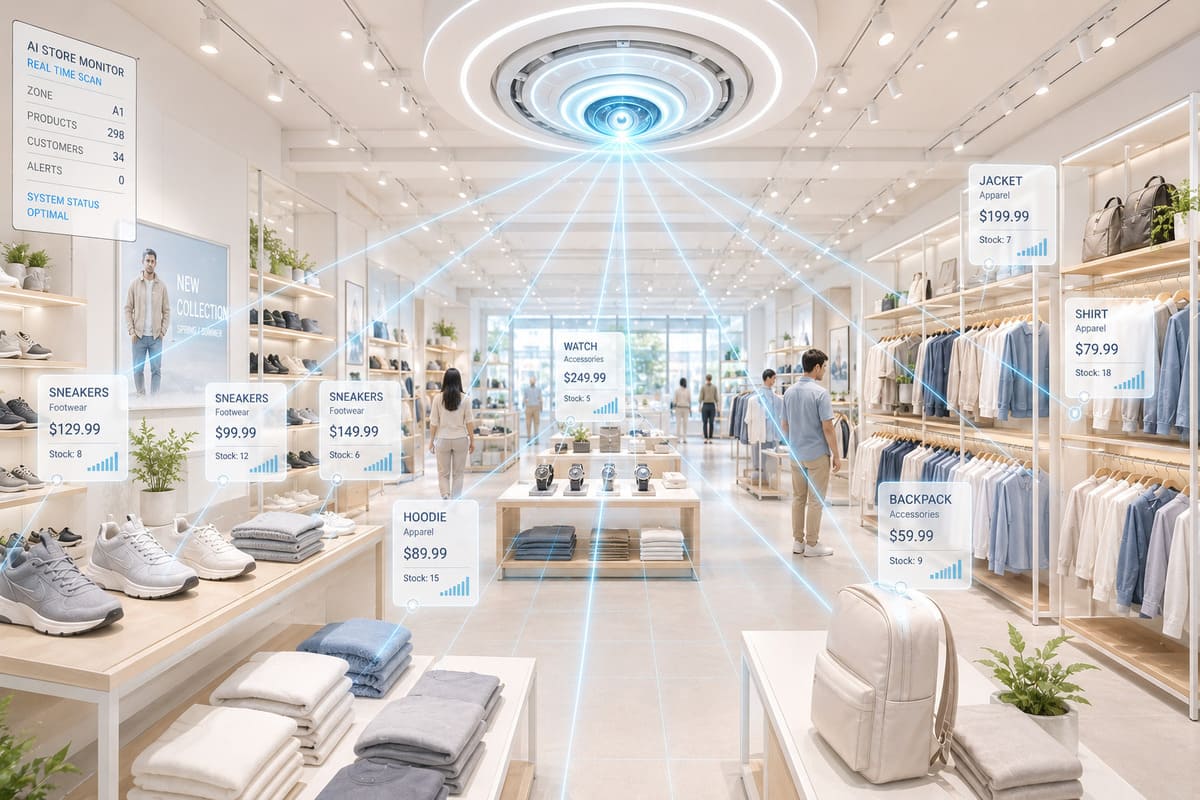
Last year we auto-tagged 12,000 product images for an e-commerce catalog using a vision model running on a single GPU in a closet. Not a rack in AWS. Not a managed AI service. A physical RTX 4090 in a tower case, sitting on a shelf next to the router, processing product photos and spitting out category, color, material, and style tags with 89% accuracy. The total cloud API bill for that project: zero. The total processing time: 7 hours. If we had sent those same 12,000 images to Google Cloud Vision plus GPT-4V for classification, the API cost would have been roughly $480 - not ruinous, but the catalog refreshes quarterly, and $480 four times a year for one classification task adds up when you have four more use cases waiting in line.
Retail and e-commerce AI is dominated by cloud-first thinking. AWS Rekognition, Google Vision, Azure Computer Vision - they are good products, and for small catalogs they are genuinely cheap. But cloud vision pricing has a nasty characteristic: it scales linearly. Process 10x more images, pay 10x more. Your costs grow with your success. On-premise AI has a different cost curve: high upfront investment, near-zero marginal cost. For retailers processing tens of thousands of images monthly, the crossover point hits faster than most people expect.
I have built on-premise vision systems for three e-commerce operations. This is what actually works, what the real performance numbers look like, and where the honest limitations are.
Use Case 1: Automated Product Classification
Every product in an e-commerce catalog needs metadata: category, subcategory, color, material, size, pattern, style, season. Getting this metadata right directly impacts search quality, filter accuracy, and recommendation relevance. Get it wrong and customers searching for "blue cotton dress" get shown red polyester blouses.
The traditional approach is manual data entry. A product specialist examines each item and fills in the fields. At 2-3 minutes per product, a catalog of 50,000 SKUs takes one person roughly 2,500 hours - over a year of full-time work. And the catalog never stops growing.
The cloud AI approach: send product images to a vision API, get back labels, map labels to your taxonomy. Google Cloud Vision returns labels like "dress," "textile," "fashion," "electric blue." You then need a mapping layer to convert generic labels to your specific taxonomy (is "electric blue" mapped to "Blue" or "Teal" in your system?).
The on-premise approach: run a vision-language model (LLaVA, Qwen2-VL, or Llama 3.2 Vision) locally, prompt it with your exact taxonomy, and get back structured classifications that match your catalog schema with no mapping layer needed.
import requests
import base64
import json
from pathlib import Path


def classify_product(
    image_path: str,
    category_taxonomy: list[str],
    color_taxonomy: list[str],
) -> dict:
    """
    Classify a product image using a local vision model.

    The key advantage over cloud APIs: we specify our EXACT taxonomy
    in the prompt, so the model returns values we can directly insert
    into our database. No mapping layer needed.
    """
    with open(image_path, "rb") as f:
        img_b64 = base64.b64encode(f.read()).decode()

    categories_str = ", ".join(category_taxonomy)
    colors_str = ", ".join(color_taxonomy)

    prompt = f"""Analyze this product image for an e-commerce catalog.

Return a JSON object with these fields:
- category: MUST be one of [{categories_str}]
- primary_color: MUST be one of [{colors_str}]
- secondary_color: one of [{colors_str}] or null
- material: your best guess (lace, cotton, silk, polyester,
  leather, denim, wool, synthetic, mixed)
- pattern: (solid, striped, floral, plaid, polka-dot, animal-print,
  geometric, abstract, none)
- style_tags: list of 2-4 descriptive tags for search
  (e.g., ["casual", "summer", "bohemian"])
- confidence: your confidence level (high, medium, low)

Return ONLY the JSON object."""

    response = requests.post(
        "http://gpu-server:11434/api/generate",
        json={
            "model": "llava:13b-v1.6-q5_K_M",
            "prompt": prompt,
            "images": [img_b64],
            "stream": False,
            "options": {
                "temperature": 0.1,
                "num_ctx": 2048,
            },
        },
        timeout=60,
    )

    result_text = response.json()["response"]

    # Parse JSON from model output
    # Models sometimes wrap JSON in markdown code blocks
    if "```" in result_text:
        result_text = result_text.split("```")[1]
        if result_text.startswith("json"):
            result_text = result_text[4:]

    return json.loads(result_text.strip())
Accuracy Benchmarks
I benchmarked three local vision models against Google Cloud Vision + GPT-4V on a test set of 500 manually-tagged product images from LingerieMuseum.com:
| Task | LLaVA 13B (local) | Qwen2-VL 7B (local) | Llama 3.2 Vision 11B (local) | Google Vision + GPT-4V |
|---|---|---|---|---|
| Category accuracy | 89% | 84% | 87% | 94% |
| Primary color | 82% | 79% | 81% | 91% |
| Material guess | 76% | 71% | 74% | 83% |
| Pattern detection | 88% | 85% | 86% | 92% |
| Processing time | 2.1 sec | 1.4 sec | 1.8 sec | 3.5 sec |
| Cost per image | ~$0 | ~$0 | ~$0 | ~$0.04 |
The accuracy gap is real - cloud APIs are 5-12% better across all tasks. But here is the thing: an 89% accurate classification that a human reviewer corrects in 5 seconds is functionally equivalent to a 94% accurate classification for most retail operations. The time saved over manual tagging is still enormous. And the cost difference is what makes on-premise compelling at scale.
Use Case 2: Visual Similarity Search
Visual similarity search - "show me products that look like this" - is one of the most powerful e-commerce features and one of the most expensive to run in the cloud. The architecture: generate an embedding vector for every product image, store the vectors in a vector database, and when a user uploads or clicks a reference image, find the nearest vectors.
Architecture
Product Image
      │
      ▼
┌─────────────┐
│ CLIP Model   │  Local: clip-vit-large-patch14
│ (Embedding)  │  Generates 768-dim vector
└──────┬──────┘
       │
       ▼
┌─────────────┐
│ pgvector     │  Stores vectors with product metadata
│ (Storage)    │  HNSW index for fast search
└──────┬──────┘
       │
       ▼
┌─────────────┐
│ Query Image  │  Same CLIP model generates query vector
│ → Top-K      │  Cosine similarity search returns matches
└─────────────┘
import torch
from PIL import Image
from transformers import CLIPProcessor, CLIPModel
import numpy as np
class VisualSearchEngine:
def __init__(self, model_path: str = "/opt/models/clip-vit-large"):
"""
Initialize CLIP model for visual similarity.
Model is ~1.7GB, runs on GPU or CPU.
On RTX 4090: 45 images/sec embedding generation
On CPU (Ryzen 9): 3 images/sec
"""
self.device = "cuda" if torch.cuda.is_available() else "cpu"
self.model = CLIPModel.from_pretrained(model_path).to(self.device)
self.processor = CLIPProcessor.from_pretrained(model_path)
def generate_embedding(self, image_path: str) -> np.ndarray:
"""Generate a 768-dim embedding for an image."""
image = Image.open(image_path).convert("RGB")
inputs = self.processor(images=image, return_tensors="pt")
inputs = {k: v.to(self.device) for k, v in inputs.items()}
with torch.no_grad():
features = self.model.get_image_features(**inputs)
# Normalize for cosine similarity
embedding = features.cpu().numpy()[0]
embedding = embedding / np.linalg.norm(embedding)
return embedding
def batch_embed_catalog(
self, image_paths: list[str], batch_size: int = 32,
) -> list[np.ndarray]:
"""
Embed an entire catalog.
50,000 images at 45 images/sec = ~18 minutes on RTX 4090.
"""
embeddings = []
for i in range(0, len(image_paths), batch_size):
batch = image_paths[i:i + batch_size]
images = [
Image.open(p).convert("RGB") for p in batch
]
inputs = self.processor(
images=images, return_tensors="pt", padding=True,
)
inputs = {k: v.to(self.device) for k, v in inputs.items()}
with torch.no_grad():
features = self.model.get_image_features(**inputs)
batch_embeddings = features.cpu().numpy()
# Normalize each embedding
norms = np.linalg.norm(batch_embeddings, axis=1, keepdims=True)
batch_embeddings = batch_embeddings / norms
embeddings.extend(batch_embeddings)
if i % 1000 == 0:
print(f" Embedded {i}/{len(image_paths)} images")
return embeddingsThe CLIP model is the workhorse here. At 1.7GB, it fits comfortably alongside an LLM on a 24GB GPU, and it generates image embeddings that are remarkably good at capturing visual similarity - products that look alike end up close together in vector space, even if they are different colors or from different brands.
Cloud Cost Comparison for Visual Search
This is where the on-premise economics become dramatic:
| Catalog Size | Monthly Queries | Google Vision (embed + search) | AWS Rekognition | On-Premise (amortized) |
|---|---|---|---|---|
| 10,000 products | 5,000 | $22/month | $18/month | ~$15/month |
| 50,000 products | 25,000 | $112/month | $92/month | ~$15/month |
| 500,000 products | 250,000 | $1,125/month | $925/month | ~$15/month |
| 5,000,000 products | 2,500,000 | $11,250/month | $9,250/month | ~$20/month |
The on-premise cost barely moves because embedding generation is a fixed-cost operation (run once per product, store the vector) and similarity search is just a pgvector query that costs nothing beyond the electricity to run PostgreSQL. Cloud costs scale linearly with volume. At 500,000 products, you are saving over $1,100/month - that is $13,000+/year, which pays for a very nice GPU server.
Use Case 3: Shelf Monitoring and Planogram Compliance
This use case is specific to physical retail. Cameras capture shelf images at regular intervals, and a vision model detects: empty shelf positions (stockout detection), products placed in wrong positions (planogram violations), price tag presence and readability, and overall shelf organization score.
The architecture uses the same LLaVA or Qwen2-VL model as product classification, but with different prompts and a continuous processing pipeline.
def analyze_shelf_image(image_path: str) -> dict:
    """Analyze a retail shelf image for compliance issues."""
    with open(image_path, "rb") as f:
        img_b64 = base64.b64encode(f.read()).decode()

    prompt = """Analyze this retail shelf image and provide:

1. shelf_occupancy: percentage of shelf space that has products
   (vs empty gaps)
2. empty_sections: describe the location of any empty sections
   (e.g., "top shelf, left third")
3. organization_score: 1-10 rating of how well-organized
   the shelf appears
4. price_tags_visible: are price tags clearly visible? (yes/partial/no)
5. issues: list any issues you notice (fallen products, wrong
   facing, messy arrangement)
6. product_count_estimate: approximate number of distinct
   product facings visible

Return as JSON."""

    response = requests.post(
        "http://gpu-server:11434/api/generate",
        json={
            "model": "llava:13b-v1.6-q5_K_M",
            "prompt": prompt,
            "images": [img_b64],
            "stream": False,
            "options": {"temperature": 0.2},
        },
        timeout=60,
    )

    return json.loads(response.json()["response"])
Shelf monitoring is where I see the biggest gap between cloud and on-premise. Cloud services like AWS Rekognition have pre-built shelf analysis features that are genuinely good - they can identify specific products, read barcodes, and integrate with inventory systems. A local LLaVA model gives you general analysis (occupancy, organization, obvious issues) but cannot identify specific SKUs by packaging. For basic stockout detection and compliance scoring, local models work. For SKU-level shelf analysis, cloud services are still ahead.
Use Case 4: Price Tag and Barcode Reading
Reading price tags and barcodes from shelf images is a more focused task. For barcodes, dedicated barcode reading libraries (pyzbar, zxing) running locally are actually better than cloud vision APIs - they are faster, free, and optimized specifically for barcode decoding.
from pyzbar import pyzbar
from PIL import Image
import cv2
import numpy as np


def read_barcodes(image_path: str) -> list[dict]:
    """Extract barcodes from an image using pyzbar."""
    image = cv2.imread(image_path)

    # Preprocessing: convert to grayscale, sharpen, threshold
    gray = cv2.cvtColor(image, cv2.COLOR_BGR2GRAY)
    sharpened = cv2.filter2D(gray, -1, np.array([
        [-1, -1, -1],
        [-1,  9, -1],
        [-1, -1, -1],
    ]))

    barcodes = pyzbar.decode(sharpened)

    results = []
    for barcode in barcodes:
        results.append({
            "data": barcode.data.decode("utf-8"),
            "type": barcode.type,
            "position": {
                "x": barcode.rect.left,
                "y": barcode.rect.top,
                "width": barcode.rect.width,
                "height": barcode.rect.height,
            },
        })

    return results


def read_price_tags(image_path: str) -> list[dict]:
    """
    Extract price information from shelf images using OCR + LLM.

    Strategy: Use Tesseract for OCR on detected text regions,
    then use a small LLM to parse the OCR output into
    structured price data.
    """
    import pytesseract

    image = Image.open(image_path)

    # OCR the entire image
    ocr_text = pytesseract.image_to_string(
        image,
        config="--oem 1 --psm 6",
    )

    # Use local LLM to extract structured price data from OCR text
    prompt = f"""The following text was extracted via OCR from a retail
shelf price tag image. Extract all prices you can find.

OCR Text:
{ocr_text}

Return a JSON list of objects with:
- product_name: the product name (if readable)
- price: the price as a number
- currency: currency symbol or code
- unit: per-unit pricing if shown (e.g., "per oz", "per lb")

Return ONLY the JSON list."""

    response = requests.post(
        "http://gpu-server:11434/api/generate",
        json={
            "model": "qwen2.5:7b-instruct-q4_K_M",
            "prompt": prompt,
            "stream": False,
            "options": {"temperature": 0.1},
        },
        timeout=30,
    )

    return json.loads(response.json()["response"])
For price tags specifically, the OCR + LLM approach works surprisingly well. Tesseract extracts the raw text (including the inevitable OCR errors), and the LLM is remarkably good at inferring what "$4.9B" was supposed to be ($4.99) or that "ORGNC MLK 1GL" means "Organic Milk 1 Gallon." The LLM acts as an intelligent post-processor for noisy OCR output.
Shopify and WooCommerce Integration
For e-commerce platforms, the AI classification system needs to feed results back into the product catalog. Both Shopify and WooCommerce have APIs that make this straightforward.
import requests


class ShopifyProductUpdater:
    def __init__(self, shop_url: str, access_token: str):
        self.base_url = f"https://{shop_url}/admin/api/2024-01"
        self.headers = {
            "X-Shopify-Access-Token": access_token,
            "Content-Type": "application/json",
        }

    def update_product_tags(
        self, product_id: int, ai_classification: dict,
    ) -> bool:
        """Update a Shopify product with AI-generated tags."""

        # Build tag string from classification
        tags = []
        tags.append(ai_classification.get("category", ""))
        tags.append(ai_classification.get("primary_color", ""))
        if ai_classification.get("secondary_color"):
            tags.append(ai_classification["secondary_color"])
        tags.append(ai_classification.get("material", ""))
        tags.append(ai_classification.get("pattern", ""))
        tags.extend(ai_classification.get("style_tags", []))

        # Filter empty strings
        tags = [t for t in tags if t]

        response = requests.put(
            f"{self.base_url}/products/{product_id}.json",
            headers=self.headers,
            json={
                "product": {
                    "id": product_id,
                    "tags": ", ".join(tags),
                }
            },
        )

        return response.status_code == 200


class WooCommerceUpdater:
    def __init__(self, url: str, key: str, secret: str):
        self.base_url = f"{url}/wp-json/wc/v3"
        self.auth = (key, secret)

    def update_product_attributes(
        self, product_id: int, ai_classification: dict,
    ) -> bool:
        """Update WooCommerce product with AI-generated attributes."""
        attributes = [
            {
                "name": "Color",
                "options": [ai_classification.get("primary_color", "")],
                "visible": True,
            },
            {
                "name": "Material",
                "options": [ai_classification.get("material", "")],
                "visible": True,
            },
            {
                "name": "Pattern",
                "options": [ai_classification.get("pattern", "")],
                "visible": True,
            },
        ]

        response = requests.put(
            f"{self.base_url}/products/{product_id}",
            auth=self.auth,
            json={
                "attributes": attributes,
                "tags": [
                    {"name": tag}
                    for tag in ai_classification.get("style_tags", [])
                ],
            },
        )

        return response.status_code == 200
The integration itself is simple. The complexity is in the workflow: how do you handle classifications the AI is not confident about? Our approach is a confidence-based routing system. High confidence (model self-reports "high" and accuracy is above 85% for that category): auto-publish the tags. Medium confidence: queue for quick human review (show the image, show the AI tags, let someone click "approve" or "edit"). Low confidence: route to a product specialist for manual tagging.
In practice, about 65% of products go through auto-publish, 25% through quick review (average 8 seconds per product), and 10% need manual tagging. The overall time savings compared to fully manual tagging: roughly 85%.
Performance at Scale: Real Benchmarks
Here are actual throughput numbers from our deployments, measured on an RTX 4090 24GB:
| Task | Model | Images/Hour | VRAM Used | GPU Utilization |
|---|---|---|---|---|
| Product classification | LLaVA 13B Q5 | 1,714 | 9.1 GB | 85% |
| Product classification | Qwen2-VL 7B Q4 | 2,571 | 5.8 GB | 78% |
| Visual embedding (CLIP) | CLIP ViT-L/14 | 162,000 | 1.7 GB | 92% |
| Shelf analysis | LLaVA 13B Q5 | 1,200 | 9.1 GB | 88% |
| Barcode reading | pyzbar (CPU) | 36,000 | 0 GB | 0% (CPU only) |
| Price tag OCR + parse | Tesseract + Qwen 7B | 3,600 | 5.8 GB | 45% |
At 1,714 images/hour for full product classification, a catalog of 50,000 products processes in about 29 hours. Run it over a weekend and your entire catalog is tagged by Monday morning. The CLIP embedding is dramatically faster - 162,000 images per hour means a 500,000 product catalog is fully embedded in about 3 hours.
These numbers are for single-GPU processing. If you need higher throughput, you have two options: add a second GPU (doubles throughput, adds cost) or use a faster model at the cost of accuracy (Qwen2-VL 7B processes 50% more images per hour than LLaVA 13B, but accuracy drops 4-5%).
The LingerieMuseum.com Case Study
I want to ground all of this theory in a real deployment. LingerieMuseum.com is an e-commerce site with 12,000+ product listings. Before we built the AI classification system, product tagging was a manual process handled by a part-time data entry specialist working 15-20 hours per week.
The Problem
- New products arrived in batches of 200-500 weekly
- Each product needed: category (12 options), color (24 options), material (8 options), pattern (9 options), style tags (freeform)
- Manual tagging took 2.5 minutes per product on average
- Backlog was growing - at peak, 3,000 untagged products
- Inconsistency: same product might be tagged "Navy" by one person and "Dark Blue" by another
The Solution
We deployed LLaVA 13B on our existing GPU server (which was already running other AI workloads) with a product classification prompt tuned specifically for lingerie and intimate apparel. The model was given LingerieMuseum's exact taxonomy in the prompt - not generic color names, but the specific 24 colors they use in their filters.
The Results (After 6 Months)
- Processing time per product: 2.1 seconds (down from 2.5 minutes manual)
- Accuracy: 89% category (matches human baseline of 93%), 82% color, 76% material
- Consistency: 100% (the model always calls navy "Navy," never "Dark Blue")
- Backlog cleared: 3,000 untagged products processed in 1.75 hours
- Human review time: 8 seconds per product (vs 2.5 minutes for full manual tagging)
- Weekly labor: Reduced from 15-20 hours to ~3 hours (review only)
- Cloud API equivalent cost: Would have been ~$128/month. Actual cost: $0 marginal (GPU already existed)
The 76% material accuracy is the one number that still bothers me. The model frequently confuses satin and silk (visually very similar), and it cannot distinguish polyester from nylon without touching the fabric. We handle this by defaulting unconfident material classifications to "Fabric - Verify" and letting the human reviewer fill in the correct material during their quick review pass. It is not perfect, but it is dramatically better than the manual process.
Honest Limitations of On-Premise Retail AI
I have painted a positive picture, so let me balance it with the real limitations:
Initial setup is not trivial. You need someone who can set up a Linux GPU server, install NVIDIA drivers (which break on kernel updates), configure Ollama, write the classification pipeline, and build the integration with your e-commerce platform. This is a weekend project for an experienced engineer and a month-long ordeal for someone learning as they go. Cloud APIs are a REST call - no GPU drivers, no model management, no server maintenance.
Vision model quality lags behind cloud. Google Vision has been trained on billions of product images. LLaVA was trained on general-purpose image-text pairs. Google Vision knows what a "mermaid-cut evening gown" looks like from seeing millions of them. LLaVA might call it a "fitted long dress." For highly specialized product taxonomies, the accuracy gap widens. The workaround is detailed prompting with your exact taxonomy, but it does not fully close the gap.
GPU hardware requires upfront investment. A capable GPU server (RTX 4090 build) costs $3,000-4,000. That is real money, especially for a small retailer testing the waters. Cloud APIs let you start at $20/month and scale up. The break-even point is typically 6-12 months depending on volume.
No automatic improvements. Cloud vision APIs improve constantly - Google and AWS update their models silently, and your accuracy improves without you doing anything. On-premise, when a better model comes out, you have to manually download, test, benchmark, and deploy it. It is manageable but it is work.
Multi-modal understanding is still developing. Cloud APIs can cross-reference product images with product descriptions, reviews, and category context. Local vision models see only what you give them. If the product image shows a blue dress from a weird angle, GPT-4V can look at the product title ("Navy Silk Evening Gown") and correct its classification. Local models working from the image alone might get the category wrong.
When On-Premise Makes Sense for Retail
Based on our deployments, the decision framework is straightforward:
Choose on-premise when:
- You process more than 10,000 product images per month consistently
- You have a technical team (or a technical partner) to set up and maintain the system
- Product data privacy matters (some brands do not want their product images on cloud servers)
- You want flat-cost scaling - your costs do not grow with your catalog size
- You are already running other AI workloads and can share the GPU
Choose cloud APIs when:
- Volume is under 5,000 images per month (cloud is genuinely cheap at low volume)
- You need SKU-level product recognition (cloud services train on specific product databases)
- Your team has no infrastructure expertise and does not want to develop it
- You need the highest possible accuracy and are willing to pay for it
- You are prototyping and need to move fast
The hybrid approach also works well: use on-premise for high-volume, lower-stakes tasks (initial classification, visual search embeddings) and cloud APIs for high-stakes, lower-volume tasks (final quality review, customer-facing visual search where accuracy matters most). Several of our clients run this split - 80% of processing happens on-premise, 20% hits cloud APIs for verification.
If you are exploring on-premise AI for your retail or e-commerce operation and want to understand the real costs, timelines, and accuracy you can expect, take a look at our AI infrastructure services. We have done this for product catalogs ranging from 5,000 to 200,000 SKUs and can give you realistic expectations for your specific catalog.



Leave a Comment