Databricks shipped a drag-and-drop pipeline builder aimed at people who don't write code. The interesting question isn't whether analysts will use it. It's what lands on your plate after they do.
If you only read the headline, Lakeflow Designer sounds like the thing data engineers have been quietly dreading for a decade: a no-code tool that lets business analysts build production ETL without you. Drag some boxes, connect some arrows, ship a pipeline. No PySpark, no notebooks, no tickets in your backlog.
That framing is half right and half marketing. Lakeflow Designer is real, it's now rolling out broadly in preview across Databricks workspaces, and it genuinely lets non-engineers assemble working transformation pipelines. But the "no-code" story hides what actually happens underneath - and underneath is where the engineering work moves, not disappears.
This article is for the people who own the platform, not the canvas. Here's what Lakeflow Designer is, how it actually works under the hood, and the three places where "self-service" quietly becomes your problem.
First, let's kill a myth: there is no "no-code PySpark"
A lot of the chatter around this tool calls it "no-code PySpark." That phrase is a contradiction, and clearing it up tells you most of what you need to know about the architecture.
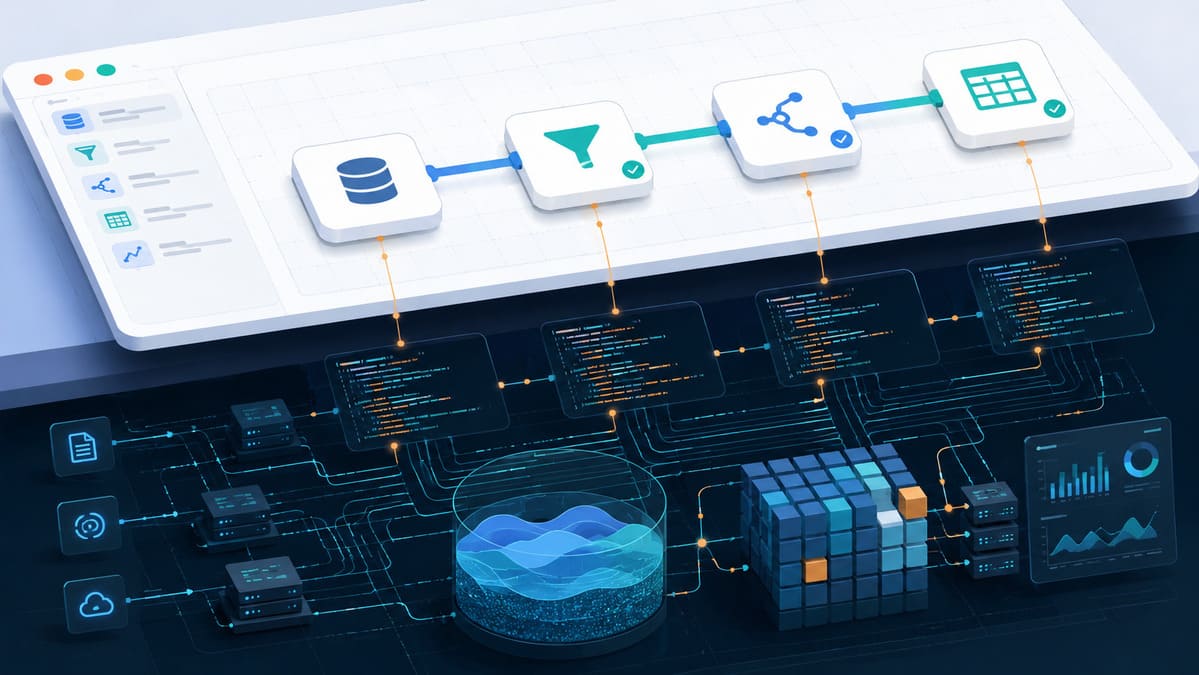
Lakeflow Designer does not generate PySpark. When an analyst drags a filter, a join, and an output node onto the canvas, Databricks compiles that visual graph into Spark Declarative Pipelines - the capability formerly known as Delta Live Tables - expressed as SQL. Each output node you place becomes a materialized view, backed by an automatically generated declarative pipeline, executed as a scheduled Databricks Job with a refresh task.
So the mental model is:
Visual canvas → Spark Declarative Pipeline (SQL) → materialized view → Databricks Job
It's a visual front-end over the same declarative engine your team already uses, sitting inside the Databricks SQL Editor as a toggle between a "Query" (code) view and a "Visual" view. The pipeline an analyst builds is not a black box. It's a real artifact in your Unity Catalog, governed by the same permissions model as everything else. That's the genuinely clever part of the design, and it's why this is different from the bolt-on no-code tools of the past that produced ungoverned shadow pipelines nobody could see.
But "it's a real Unity Catalog artifact" cuts both ways. A real artifact is a real thing somebody has to operate, version, audit, and eventually fix. Guess who.
What it can actually do today
Credit where it's due - the core experience is good, and several pieces are more than a demo:
- Drag-and-drop transformation nodes. Sources, outputs, joins, filters, aggregates, plus Databricks SQL AI functions. Unity Catalog tables drag straight onto the canvas as sources.
- Live data preview at every node. This is the standout feature. You see input and output state on a sample at each step as you build. It collapses the write-run-inspect loop that eats so much time in notebook development, and honestly, engineers might want it too.
- Custom SQL nodes. When the visual operators run out - and they do - you can drop in a raw SQL block.
- Git versioning. Pipelines save as a specialized notebook file type (
*.dbquery.ipynb) that can live in a repo and go through review. - Built-in orchestration. Schedule the pipeline as a Databricks Job straight from the editor.
For a contained self-service scenario - a single business unit that owns its own workspace, its own models, and its own dashboards - this is already useful. An analyst can go from "I have tables in the catalog" to "I have a scheduled, materialized, governed dataset" without filing a single ticket. That's a real win, and pretending otherwise is just gatekeeping.
The trouble starts when that pipeline needs to behave like production infrastructure.
Where the cost actually moves
Here's the take on every "democratization" feature: the work rarely disappears. It moves, and it usually moves toward whoever owns the platform. Lakeflow Designer is a textbook case. Three specific places to watch:
1. The CI/CD gap is the real boundary
A Designer pipeline runs fine where it's built and can be scheduled as a job. What it can't yet do cleanly is move through a proper deployment lifecycle - dev to test to prod via Asset Bundles or a CI/CD framework. The artifacts don't behave like standard pipelines (a plain Python notebook or a .sql file) that you can wire into automated promotion and full lineage tracking.
Translate that into operational terms: the moment a business-critical dataset gets built in Designer, someone has to answer "how does this get promoted, tested, and rolled back?" Today, that answer involves an engineer rebuilding or wrapping the thing in a real deployment process. The no-code pipeline was free to create and expensive to productionize - and the bill arrives on the platform team's desk, later, with less context than if you'd built it yourself.
2. Lineage and navigation are still thin
End-to-end lineage is the entire governance argument for keeping no-code inside Unity Catalog. In practice, lineage today is scoped to the individual materialized-view pipeline, not the broader web of related tables and views. There also aren't clean back-links between the catalog view, the generated declarative pipeline, and the Designer query that produced it.
For a data engineer doing impact analysis - "what breaks if I change this upstream table?" - partial lineage is the dangerous kind. It looks like coverage and isn't. You'll find the gaps during an incident, which is the worst possible time.
3. Custom SQL nodes age badly
The visual operators don't cover everything. Common patterns - a PIVOT, for instance - still drop you into a hand-written SQL node. That's fine on day one. The problem is what custom code inside a graphical pipeline becomes on day 400, after the analyst who wrote it has changed teams. Embedded SQL in a drag-and-drop canvas is some of the least-reviewed, least-tested code in any organization, and it tends to rot precisely because the tool's whole promise was that nobody needs to look at the code.
One more honest note: the headline natural-language "describe your pipeline and we'll build it" capability has been inconsistent to actually access in hands-on testing. Treat the GenAI authoring as a promising direction, not a feature you can plan around yet.
No-code Designer vs. a hand-written pipeline
| Dimension | Lakeflow Designer | Hand-written Declarative Pipeline |
|---|---|---|
| Author | Analyst / SME | Data engineer |
| Output | SQL declarative pipeline + materialized view | Same engine, your code |
| Time to first result | Minutes | Hours |
| Live data preview | Yes, per node | Manual |
| CI/CD across environments | Not mature yet | Full control |
| Lineage | Per-pipeline, partial | As good as your tooling |
| Complex transforms | Custom SQL nodes | Native |
| Long-term owner | The platform team, eventually | The platform team, knowingly |
The bottom row is the whole point. In both cases your team ends up responsible. The difference is whether you signed up for it on purpose or inherited it by surprise.
How engineers should actually respond
Blocking the tool is the wrong move - it's genuinely good for self-service, and the governed-by-Unity-Catalog design is the most defensible version of no-code anyone has shipped. The right move is to set the guardrails before adoption outruns them:
- Decide where Designer lives. Give it the workspaces where self-service is the explicit goal - a marketing analytics workspace, a finance sandbox - and keep it out of the workspaces that feed regulated or revenue-critical systems until CI/CD support matures.
- Lock down Unity Catalog permissions first. The governance only works if your catalog grants are already disciplined. Designer inherits your permission model; it does not fix a messy one.
- Define a graduation path. Write down the criteria for when a Designer pipeline becomes important enough to be rebuilt as a repo-based, CI/CD-managed pipeline owned by engineering. "It now feeds an executive dashboard" is a good trigger. Discovering it during an outage is not.
- Treat custom SQL nodes as tech debt from the moment they're written. If a pipeline needs hand-written SQL to work, that's the signal it may belong in a real codebase, not a canvas.
The verdict
Lakeflow Designer is the best-architected no-code ETL tool on the market right now, precisely because it isn't a separate tool - it's a visual skin over the same Spark Declarative Pipelines, Unity Catalog, and Jobs your engineers already run. That makes it dramatically safer than the shadow-IT pipeline builders that came before it.
But "no-code" never meant "no work." It meant the work changed shape and changed owners. Analysts get speed and independence. Engineers get a new surface to govern, a CI/CD gap to bridge, and a lineage story that isn't finished yet. The pipelines are easy to create and not yet easy to operate at enterprise scale - and the distance between those two facts is exactly the work that lands on the platform team.
If you own the lakehouse, the question Lakeflow Designer asks you isn't "should we allow this?" It's "are our guardrails ready for it?" Answer that before your analysts answer it for you.



Leave a Comment