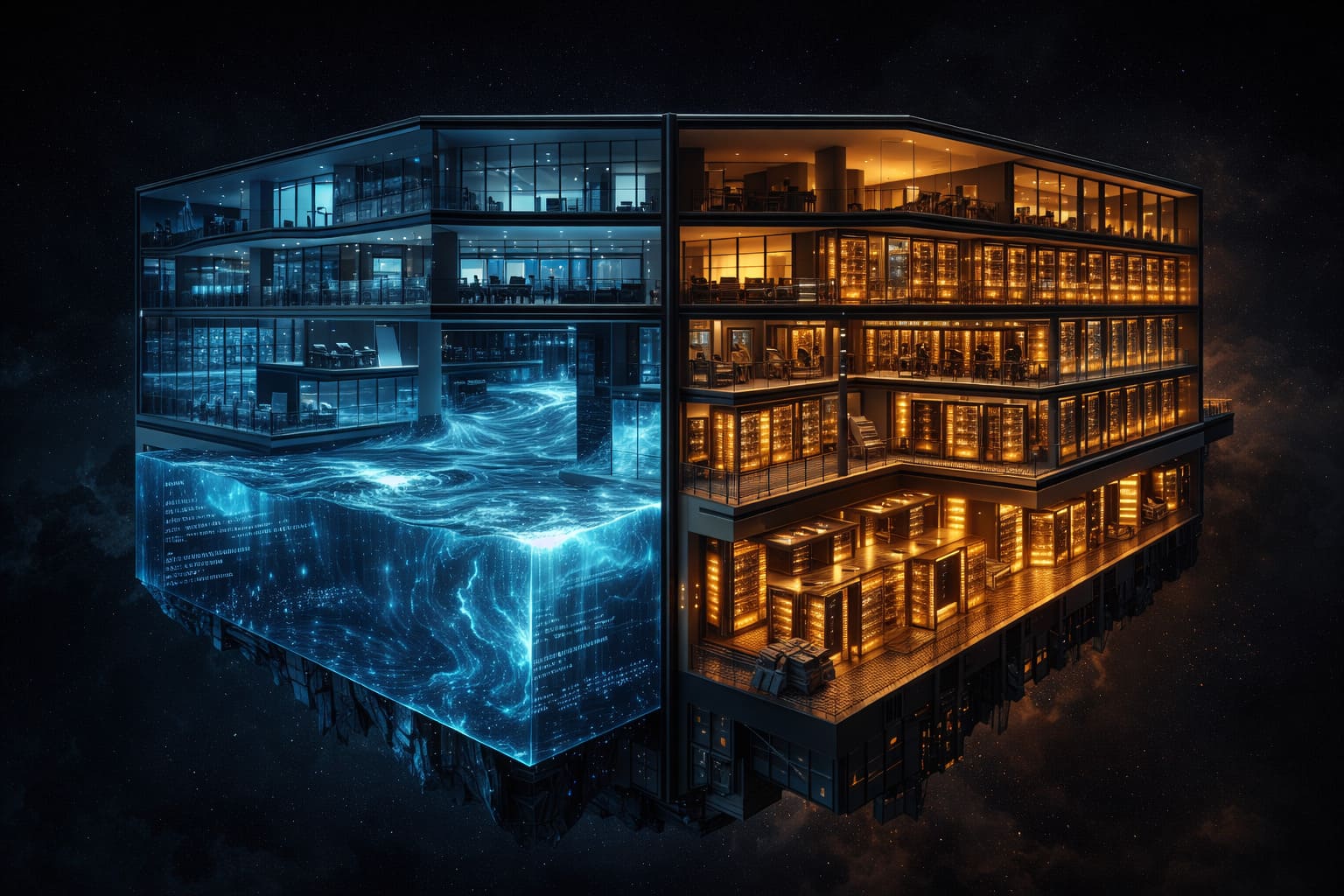
I have spent the better part of a decade moving data between warehouses and lakes, stitching together pipelines that copied the same datasets into two or three different systems so that analysts could run SQL while data scientists could access raw Parquet files. If that sounds wasteful, it was. The data lakehouse architecture exists because our industry collectively decided that maintaining two separate storage paradigms was an expensive mistake. In this guide I will walk through every layer of a production lakehouse, compare the three dominant implementation paths, and share the cost modeling framework I use with clients in 2026.
What a Data Lakehouse Actually Is (and Isn't)
A data lakehouse is a single storage architecture that combines the cheap, scalable, schema-on-read flexibility of a data lake with the ACID transactions, schema enforcement, and performance optimizations of a data warehouse. The key insight is that open table formats—Apache Iceberg, Delta Lake, Apache Hudi—turned commodity object storage into something that can behave like a warehouse without needing a proprietary engine.
Let me be precise about what a lakehouse is not:
- It is not simply "a data lake with a BI tool on top." Without ACID transactions and metadata management, you still have a swamp.
- It is not a replacement for every operational database. OLTP workloads still belong in PostgreSQL, MySQL, or a purpose-built transactional store.
- It is not automatically cheaper than a warehouse. Costs depend on query patterns, governance overhead, and how well you manage storage lifecycle.
- It is not a single product. It is an architectural pattern that can be assembled from open-source components or consumed as a managed service.
The lakehouse vs data warehouse debate has largely settled by 2026. Most organizations are not choosing one over the other—they are recognizing that the lakehouse subsumes the warehouse. Snowflake added Iceberg Tables. Databricks built Unity Catalog. Google pushed BigLake. The convergence is real.
The Evolution: Warehouse, Lake, Lakehouse
Understanding the lineage helps explain why every component exists in the reference architecture.
Generation 1 (2000s): Enterprise data warehouses. Teradata, Netezza, Oracle Exadata. Expensive proprietary hardware, tightly coupled storage and compute, excellent SQL performance, terrible at unstructured data.
Generation 2 (2010s): Data lakes on Hadoop/S3. Cheap storage, any data format, but no transactions, no schema enforcement, query performance ranged from poor to abysmal. The "data swamp" era.
Generation 3 (2020s): Two-tier architecture. Lake for raw storage and ML, warehouse for BI. Data copied between them constantly. ETL pipelines doubled. Governance nightmares.
Generation 4 (now): Lakehouse. One copy of data in open formats on object storage. Multiple engines read and write through a transactional metadata layer. Storage and compute fully separated.
Core Components of a Data Lakehouse
Every production lakehouse I have designed or audited contains five layers. Here is the reference architecture, described from bottom to top:
Architecture Diagram (Text Description)
Picture a vertical stack of five horizontal layers. At the bottom sits Object Storage (S3, GCS, ADLS, MinIO). Above it, the Open Table Format layer (Iceberg, Delta, Hudi) manages metadata, snapshots, and ACID transactions. The Catalog & Governance layer (Unity Catalog, Nessie, AWS Glue, Polaris) provides namespace management, access control, and data discovery. The Compute Engine layer (Spark, Trino, Flink, DuckDB, Snowflake) reads and writes through the table format. At the top, Consumption interfaces (BI tools, notebooks, ML frameworks, reverse ETL) serve end users. Arrows flow bidirectionally between all layers. A separate Ingestion pipeline feeds into object storage from the left, handling CDC, streaming, and batch sources.
Layer 1: Object Storage
The foundation. All data lives as files—Parquet, Avro, ORC—on commodity object storage. This is where the cost advantage comes from. S3 Standard costs roughly $0.023/GB/month. Compared to Snowflake on-demand storage at $0.040/GB/month (compressed), the raw economics favor object storage, especially at petabyte scale.
In practice, I default to S3 with Intelligent-Tiering for AWS shops, GCS Standard for GCP, and ADLS Gen2 for Azure. For on-premises or hybrid, MinIO provides an S3-compatible API that works seamlessly with every open table format.
Layer 2: Open Table Format
This is the layer that makes a lakehouse a lakehouse rather than a lake. The table format adds:
- ACID transactions — concurrent reads and writes without corruption
- Schema evolution — add, rename, drop columns without rewriting data
- Time travel — query any historical snapshot
- Partition evolution — change partitioning strategy without rewriting existing data (Iceberg)
- File-level statistics — min/max values, null counts for predicate pushdown
As of early 2026, Apache Iceberg has emerged as the de facto standard. Snowflake, Databricks, AWS, Google, and Cloudera all support it natively. Delta Lake remains strong in the Databricks ecosystem. Hudi retains a niche in CDC-heavy streaming workloads but has lost mindshare. If you are starting a new lakehouse today, start with Iceberg unless you are already deeply invested in Databricks, in which case Delta with UniForm (which exposes Delta tables as Iceberg) is the pragmatic choice.
Layer 3: Catalog and Governance
The catalog is the brains of the operation. It maps logical table names to physical file locations, tracks schema versions, manages access policies, and enables data discovery. Without a proper catalog, your lakehouse is just a well-organized lake.
Key capabilities I look for:
- Namespace hierarchy — catalog.schema.table naming that mirrors organizational boundaries
- Fine-grained access control — column-level and row-level security
- Data lineage — tracking how tables were produced and consumed
- Multi-engine support — the same catalog entry readable by Spark, Trino, Flink, and BI tools
- Git-like branching — for CI/CD and isolated testing (Nessie provides this)
Layer 4: Compute Engine
One of the lakehouse's most powerful properties is compute-storage separation. You can point multiple engines at the same data without copying it. A typical setup might include Spark for heavy transformations, Trino or Starburst for interactive SQL, Flink for streaming upserts, and DuckDB for local development. Each engine reads the same Iceberg tables, respects the same ACID guarantees, and sees the same schema.
Layer 5: Consumption
BI tools (Tableau, Looker, Superset), notebooks (Jupyter, Databricks), ML frameworks (MLflow, SageMaker), and application APIs all connect through the compute layer. The critical point: because everyone reads from the same governed tables, you eliminate the "which number is right?" problem that plagued the two-tier architecture.
Medallion Architecture: Bronze, Silver, Gold
The medallion architecture is the most widely adopted data organization pattern within a lakehouse. I have implemented it at seven organizations now, and while the details vary, the structure holds remarkably well.
Bronze Layer (Raw Ingestion)
Raw data lands here exactly as it arrived from the source, with metadata columns appended. No transformations, no deduplication, no filtering. The goal is to create an immutable audit trail.
from pyspark.sql import SparkSession
from pyspark.sql.functions import current_timestamp, lit, input_file_name

spark = SparkSession.builder \
    .config("spark.sql.catalog.lakehouse", "org.apache.iceberg.spark.SparkCatalog") \
    .config("spark.sql.catalog.lakehouse.type", "rest") \
    .config("spark.sql.catalog.lakehouse.uri", "http://nessie:19120/api/v2") \
    .getOrCreate()

# Ingest raw events from Kafka topic landing zone
raw_events = spark.read.format("json").load("s3://lakehouse-raw/events/2026/02/20/")

bronze_events = raw_events \
    .withColumn("_ingested_at", current_timestamp()) \
    .withColumn("_source_file", input_file_name()) \
    .withColumn("_batch_id", lit("batch-2026-02-20-001"))

bronze_events.writeTo("lakehouse.bronze.events") \
    .option("write.format.default", "parquet") \
    .option("write.parquet.compression-codec", "zstd") \
    .append()
I always use Zstandard compression at bronze. It gives 20-30% better compression than Snappy with comparable decompression speed, and at the raw data volumes of bronze, the storage savings add up fast.
Silver Layer (Cleaned and Conformed)
Silver is where data gets deduplicated, validated, typed, and joined with reference data. This is the workhorse layer that most analysts and data scientists should read from. I apply schema enforcement here aggressively—if a record does not conform, it goes to a quarantine table, not into silver.
from pyspark.sql.functions import col, to_timestamp, when, row_number
from pyspark.sql.window import Window

# Read new bronze records since last watermark
bronze = spark.read.table("lakehouse.bronze.events") \
    .filter(col("_ingested_at") > last_watermark)

# Deduplicate by event_id, keeping latest
dedup_window = Window.partitionBy("event_id").orderBy(col("event_timestamp").desc())
deduped = bronze \
    .withColumn("_row_num", row_number().over(dedup_window)) \
    .filter(col("_row_num") == 1) \
    .drop("_row_num")

# Type casting and validation
silver_events = deduped.select(
    col("event_id").cast("string"),
    to_timestamp(col("event_timestamp"), "yyyy-MM-dd'T'HH:mm:ss.SSSZ").alias("event_ts"),
    col("user_id").cast("long"),
    col("event_type").cast("string"),
    col("payload"),
    col("_ingested_at"),
) \
.filter(col("event_ts").isNotNull()) \
.filter(col("user_id").isNotNull())

# MERGE for idempotent upserts
silver_events.createOrReplaceTempView("incoming")

spark.sql("""
    MERGE INTO lakehouse.silver.events AS target
    USING incoming AS source
    ON target.event_id = source.event_id
    WHEN MATCHED AND source.event_ts > target.event_ts
        THEN UPDATE SET *
    WHEN NOT MATCHED
        THEN INSERT *
""")
Gold Layer (Business-Ready Aggregates)
Gold tables are purpose-built for specific consumption patterns: dashboards, ML feature tables, reporting APIs. They are typically aggregated, denormalized, and optimized for read performance. I partition gold tables by the most common filter dimension (usually date) and sort within partitions by the most common join key.
-- Gold: Daily user engagement metrics
CREATE OR REPLACE TABLE lakehouse.gold.daily_user_engagement
USING iceberg
PARTITIONED BY (days(event_date))
TBLPROPERTIES (
    'write.distribution-mode' = 'hash',
    'write.target-file-size-bytes' = '134217728'
)
AS
SELECT
    DATE(event_ts) AS event_date,
    user_id,
    COUNT(*) AS total_events,
    COUNT(DISTINCT event_type) AS distinct_event_types,
    COUNT(CASE WHEN event_type = 'purchase' THEN 1 END) AS purchases,
    SUM(CASE WHEN event_type = 'purchase'
        THEN CAST(get_json_object(payload, '$.amount') AS DECIMAL(10,2))
        ELSE 0 END) AS total_spend,
    MIN(event_ts) AS first_event_ts,
    MAX(event_ts) AS last_event_ts,
    COUNT(CASE WHEN event_type = 'page_view' THEN 1 END) AS page_views,
    CURRENT_TIMESTAMP() AS _computed_at
FROM lakehouse.silver.events
WHERE DATE(event_ts) = CURRENT_DATE - INTERVAL 1 DAY
GROUP BY DATE(event_ts), user_id;
A common mistake I see: teams create too many gold tables too early. Start with silver as your default consumption layer. Promote to gold only when you have a proven query pattern that benefits from pre-aggregation. Every gold table is a maintenance liability—it must be refreshed, monitored, and its logic must stay in sync with business definitions.
Implementation Paths: A Practical Comparison
In 2026, there are three credible ways to build a production data lakehouse implementation. I have worked with all three, and the right choice depends on your team's skills, existing investments, and appetite for operational complexity.
| Dimension | Databricks (Unity Catalog + Delta) | Snowflake (Iceberg Tables) | Open-Source (Spark + Iceberg + Nessie + Trino) |
|---|---|---|---|
| Table Format | Delta Lake (UniForm for Iceberg compat) | Apache Iceberg (native) | Apache Iceberg |
| Catalog | Unity Catalog (proprietary) | Snowflake-managed (Polaris OSS available) | Nessie or AWS Glue or Hive Metastore |
| Primary Compute | Databricks Spark, Databricks SQL | Snowflake virtual warehouses | Apache Spark, Trino, Flink |
| Streaming | Structured Streaming (built-in) | Snowpipe Streaming, Dynamic Tables | Flink + Iceberg sink |
| Governance | Unity Catalog (row/column security, lineage) | Snowflake RBAC + masking policies | Apache Ranger or OPA + custom integration |
| Multi-Engine Access | Good (UniForm enables external readers) | Excellent (Iceberg tables readable externally) | Excellent (open standards throughout) |
| Operational Complexity | Low (managed service) | Low (managed service) | High (you run everything) |
| Vendor Lock-in | Medium (Delta-centric, UniForm mitigates) | Low-Medium (Iceberg is open, but engine is proprietary) | None |
| Best For | Teams with heavy ML/notebook usage | SQL-first teams with existing Snowflake investment | Teams with strong infra skills wanting full control |
| Estimated Cost (10TB, moderate query load) | $3,000-6,000/month | $2,500-5,500/month | $1,500-4,000/month (infra) + engineering time |
Option 1: Databricks with Unity Catalog
If your team already uses Databricks notebooks and you need ML and engineering on the same platform, this is the path of least resistance. Unity Catalog provides the most integrated governance experience I have seen—lineage is automatic, access control is declarative, and the photon engine makes SQL queries fast enough that many teams drop their separate warehouse entirely.
The trade-off is cost. Databricks DBU pricing is opaque, and without careful cluster management (auto-scaling policies, spot instances, serverless SQL warehouses), bills escalate quickly. I always recommend starting with serverless compute and only moving to dedicated clusters when you can prove the cost benefit.
Option 2: Snowflake with Iceberg Tables
Snowflake's Iceberg Tables feature, which reached general availability in late 2025, lets you store data in your own object storage as Iceberg while querying through Snowflake's engine. This is compelling for organizations that want lakehouse economics (you own the storage) with Snowflake's query engine and ecosystem.
The key advantage: your data is in open Iceberg format from day one. If you later want to read it with Spark, Trino, or DuckDB, you can. You are not locked into Snowflake as your only engine. The key limitation: write performance for streaming workloads is still behind Databricks Structured Streaming.
Option 3: Fully Open-Source Stack
This is the stack I recommend when teams have strong infrastructure engineers and want zero vendor lock-in:
# docker-compose.yml sketch for a local open-source lakehouse
# Production would use Kubernetes with Helm charts

services:
  minio:                    # S3-compatible object storage
    image: minio/minio:latest
    command: server /data --console-address ":9001"
    environment:
      MINIO_ROOT_USER: lakehouse
      MINIO_ROOT_PASSWORD: lakehouse123
    ports: ["9000:9000", "9001:9001"]

  nessie:                   # Git-like catalog for Iceberg
    image: projectnessie/nessie:latest
    ports: ["19120:19120"]

  spark-master:             # Batch + streaming compute
    image: bitnami/spark:3.5
    environment:
      SPARK_MODE: master
    ports: ["8080:8080", "7077:7077"]

  trino:                    # Interactive SQL engine
    image: trinodb/trino:latest
    ports: ["8443:8443"]
    volumes:
      - ./trino-config/catalog:/etc/trino/catalog

  # Trino catalog config: etc/trino/catalog/lakehouse.properties
  # connector.name=iceberg
  # iceberg.catalog.type=nessie
  # iceberg.nessie.uri=http://nessie:19120/api/v2
  # iceberg.nessie.default-warehouse=s3://warehouse/
  # fs.native-s3.enabled=true
  # s3.endpoint=http://minio:9000
  # s3.region=us-east-1
  # s3.aws-access-key=lakehouse
  # s3.aws-secret-key=lakehouse123
The Nessie catalog deserves special mention. Its Git-like branching model lets you create an isolated branch, run a pipeline that writes experimental data, verify results, and then merge—exactly like a pull request for your data. This is transformative for CI/CD in data engineering. I have seen it cut pipeline debugging time in half.
Governance and Access Control
Governance is where lakehouse projects either mature into production systems or collapse into ungoverned chaos. The open nature of the lakehouse—multiple engines, multiple teams, data in your own storage—makes governance harder, not easier, compared to a warehouse where a single engine controls all access.
Here is the governance framework I implement for every lakehouse engagement:
1. Namespace Strategy
Organize your catalog as catalog.domain.layer_entity. For example: lakehouse.marketing.silver_campaigns, lakehouse.finance.gold_monthly_revenue. This maps to organizational ownership and makes access policies intuitive.
2. Role-Based Access at the Catalog Level
-- Unity Catalog example (Databricks)
-- Similar concepts apply to Nessie + OPA or Snowflake RBAC

-- Create roles aligned to teams
CREATE ROLE marketing_analyst;
CREATE ROLE marketing_engineer;
CREATE ROLE data_platform_admin;

-- Grant read on gold to analysts
GRANT USE SCHEMA ON lakehouse.marketing TO marketing_analyst;
GRANT SELECT ON lakehouse.marketing.gold_campaign_metrics TO marketing_analyst;

-- Grant read/write on silver to engineers
GRANT USE SCHEMA ON lakehouse.marketing TO marketing_engineer;
GRANT SELECT, MODIFY ON lakehouse.marketing.silver_campaigns TO marketing_engineer;
GRANT SELECT ON lakehouse.marketing.bronze_campaign_events TO marketing_engineer;

-- Column masking for PII
ALTER TABLE lakehouse.marketing.silver_campaigns
    ALTER COLUMN customer_email SET MASK mask_pii;

-- Row filtering for regional data access
ALTER TABLE lakehouse.marketing.silver_campaigns
    SET ROW FILTER region_filter ON (region);
3. Data Quality as Governance
I treat data quality rules as part of governance, not a separate concern. Every silver table has constraints that are enforced at write time:
from great_expectations.core import ExpectationSuite, ExpectationConfiguration

suite = ExpectationSuite(expectation_suite_name="silver_events_validation")

suite.add_expectation(ExpectationConfiguration(
    expectation_type="expect_column_values_to_not_be_null",
    kwargs={"column": "event_id"}
))
suite.add_expectation(ExpectationConfiguration(
    expectation_type="expect_column_values_to_be_between",
    kwargs={"column": "event_ts", "min_value": "2020-01-01", "max_value": "2027-01-01"}
))
suite.add_expectation(ExpectationConfiguration(
    expectation_type="expect_column_values_to_be_unique",
    kwargs={"column": "event_id"}
))
suite.add_expectation(ExpectationConfiguration(
    expectation_type="expect_column_values_to_be_in_set",
    kwargs={"column": "event_type", "value_set": [
        "page_view", "click", "purchase", "signup", "logout"
    ]}
))
4. Lineage and Auditing
In a managed platform (Databricks, Snowflake), lineage comes built-in. In the open-source stack, I integrate OpenLineage with Spark and Flink jobs. Every pipeline run emits lineage events to a Marquez instance, giving you a complete graph of how every table was produced. This is not optional—it is the first thing an auditor will ask for, and it is the fastest way to debug "why did this number change?"
Cost Modeling Framework
The promise of the lakehouse is better economics than maintaining separate lakes and warehouses. But that promise only holds if you actively manage costs. Here is the model I use:
Storage Costs
Break storage into three tiers based on the medallion layers:
- Bronze: Highest volume, lowest access frequency. Move to S3 Glacier Instant Retrieval or GCS Nearline after 90 days. Cost target: $0.004-0.010/GB/month for cold data.
- Silver: Medium volume, frequent access. Keep on S3 Standard or GCS Standard. Cost target: $0.020-0.025/GB/month.
- Gold: Lowest volume (aggregated), highest access frequency. Standard storage, often with additional caching. Cost target: $0.023/GB/month but small absolute cost due to aggregation.
Do not forget the hidden storage costs: Iceberg metadata files (manifest lists, manifests, statistics), old snapshots (set a retention policy—I default to 7 days for bronze, 30 for silver, 90 for gold), and orphaned files from failed writes (run remove_orphan_files weekly).
-- Iceberg table maintenance (run on a schedule)
-- Expire old snapshots
CALL lakehouse.system.expire_snapshots('lakehouse.silver.events', TIMESTAMP '2026-02-13 00:00:00', 100);

-- Remove orphaned files
CALL lakehouse.system.remove_orphan_files(table => 'lakehouse.silver.events', older_than => TIMESTAMP '2026-02-17 00:00:00');

-- Rewrite small files for better read performance
CALL lakehouse.system.rewrite_data_files(table => 'lakehouse.silver.events', strategy => 'sort', sort_order => 'event_ts ASC NULLS LAST');

-- Rewrite manifests to optimize planning
CALL lakehouse.system.rewrite_manifests('lakehouse.silver.events');
Compute Costs
Compute is typically 60-80% of total lakehouse cost. The variables that matter most:
- Engine choice per workload. Do not run Spark for a 100-row lookup. Use Trino or serverless SQL for interactive queries, Spark for heavy batch transforms, and Flink for streaming. Matching engine to workload can cut compute costs by 40%.
- Cluster sizing and auto-scaling. Over-provisioned always-on clusters are the number one cost killer. Use auto-scaling with aggressive scale-down (2-5 minutes idle timeout). Use spot or preemptible instances for fault-tolerant batch jobs.
- File layout optimization. Poorly organized data (too many small files, wrong partitioning, no sorting) causes engines to scan far more data than necessary. Running compaction and using partition pruning can reduce scan volumes by 10x.
Sample Monthly Cost Breakdown (10TB Lakehouse, Mid-Size Organization)
| Category | Open-Source (AWS) | Databricks | Snowflake |
|---|---|---|---|
| Object Storage (10TB, mixed tiers) | $180 | $180 | $180 (external) / $400 (managed) |
| Catalog/Metastore | $50 (Glue) / $0 (Nessie self-hosted) | $0 (included) | $0 (included) |
| Batch Compute (4h/day) | $800 (EMR Spark) | $1,400 (Jobs compute) | $1,200 (XL warehouse) |
| Interactive SQL (8h/day) | $600 (Trino on EC2) | $900 (SQL Serverless) | $800 (M warehouse) |
| Streaming (24/7) | $500 (Flink on EKS) | $700 (Structured Streaming) | $600 (Snowpipe Streaming) |
| Networking/Egress | $150 | $150 | $100 |
| Total | $2,280 | $3,330 | $2,880-$3,100 |
The open-source option looks cheapest on paper, but factor in at least one full-time engineer for operations, upgrades, and troubleshooting. At a loaded cost of $15,000-20,000/month for a senior data platform engineer, the managed services become competitive very quickly for small-to-mid teams.
Lessons from Production
After building and maintaining lakehouses across fintech, e-commerce, healthcare, and ad tech, here are the patterns that consistently determine success or failure:
- Start with the catalog, not the compute. The catalog is your contract layer. If you get namespace design, access policies, and metadata management right from day one, swapping compute engines later is straightforward. If you bolt on governance after the fact, you will spend months untangling access patterns.
- Compaction is not optional. Streaming ingestion creates thousands of small files. Without scheduled compaction, query performance degrades steadily. I run
rewrite_data_filesevery 4-6 hours on active tables and target 128-256MB file sizes. - Partition carefully. Over-partitioning is worse than under-partitioning. A table with 100,000 partitions and 50KB files per partition will perform terribly. Start with coarse partitions (day, not hour) and add granularity only when query patterns demand it. Iceberg's hidden partitioning makes this easier since you can change the strategy without rewriting data.
- Treat bronze as immutable. Never update or delete from bronze. If source data was wrong, ingest a correction and handle it in the silver transform. This gives you a complete audit trail and the ability to replay silver from bronze when logic changes.
- Version your transformation logic. Gold tables should be fully reproducible from silver. Silver should be fully reproducible from bronze. If you cannot re-derive a table from its inputs, you have created a single point of failure.
- Monitor query patterns, not just infrastructure. The most expensive problem in a lakehouse is queries scanning too much data because of missing partition pruning or stale statistics. Instrument your compute engines to log bytes scanned per query and alert when ratios exceed thresholds.
Where the Lakehouse Goes From Here
The lakehouse guide 2026 would be incomplete without noting where the architecture is heading. Three trends I am watching closely:
- Universal catalog convergence. Apache Polaris (Snowflake's open-source Iceberg catalog), Unity Catalog (Databricks, now partially open-sourced), and Gravitino (Apache incubating) are all competing to be the standard open catalog. Within 18 months, I expect one to win decisively, giving us a truly engine-agnostic metadata layer.
- Embedded AI in the format layer. Table formats are starting to store vector embeddings alongside structured columns, enabling semantic search and RAG pipelines directly on lakehouse tables without a separate vector database. Iceberg's variant type support is a step in this direction.
- Declarative lakehouse management. Tools like SQLMesh, dbt with Iceberg materialization, and Databricks Asset Bundles are making it possible to define the entire lakehouse—tables, transforms, quality rules, access policies—as version-controlled code. The lakehouse becomes a deployment artifact rather than an ad hoc collection of notebooks and scripts.
The data lakehouse is not a passing trend. It is the architectural pattern that the entire industry is converging on because it solves the fundamental problem we created by splitting storage into two paradigms. If you are starting a new data platform in 2026, build a lakehouse. If you are maintaining a warehouse, you are probably already adopting lakehouse patterns whether you call it that or not. The storage economics, engine flexibility, and open standards make it the only architecture I recommend without reservation.


Leave a Comment