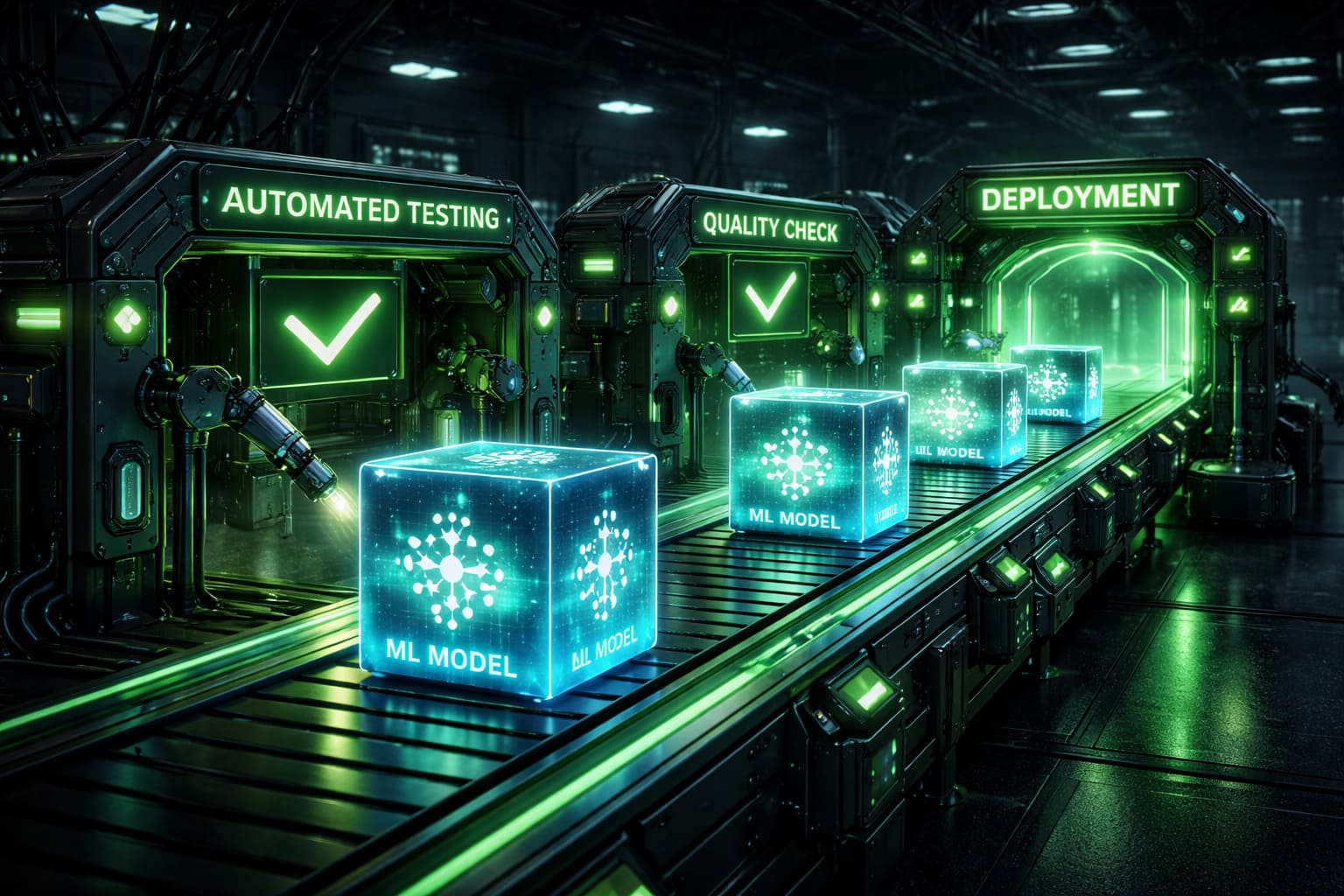
I have spent the last six years building ML platforms, and the single most dangerous phrase I hear in production meetings is "we just merge to main and it deploys." That workflow is fine for a REST API that returns JSON. It is catastrophically insufficient for a system where a one-line change to a feature engineering function can silently degrade predictions for millions of users while every automated check shows green.
Traditional CI/CD was designed for deterministic software. You write code, tests pass or fail, you ship a binary. Machine learning breaks every assumption in that model. Your "build artifact" is a trained model that depends on terabytes of data you cannot store in git. Your "tests" require GPU hours and statistical reasoning instead of simple assertions. Your "deployment" needs to account for the fact that a model scoring 0.94 AUC on your eval set might perform worse in production than the 0.91 model it is replacing, because the eval set drifted three weeks ago and nobody noticed.
This article is the CI/CD pipeline I wish someone had handed me when I started in MLOps. Not the conceptual diagram with neat boxes and arrows. The actual YAML, the Python evaluation gates, the rollback strategies that have saved my team from shipping broken models to production at 2 AM on a Friday.
Who this is for: ML engineers, MLOps practitioners, and platform teams who have outgrown notebook-to-production workflows and need real automation around model training, evaluation, and deployment. If your current deployment process involves a Slack message that says "model looks good, pushing to prod," this is for you.
Why Traditional CI/CD Falls Apart for Machine Learning
Before we build the pipeline, let me be specific about why standard software CI/CD does not work. I am not talking about philosophical differences. I am talking about concrete failure modes I have personally debugged.
Data Dependencies Are the Real Source Code
In traditional software, your source code is the single source of truth. In ML, the training data is equally important, and it changes independently of your code. I once had a model retrain pipeline that ran nightly. The code had not changed in three months. One Tuesday, the model's precision dropped 12% because an upstream data team changed how they encoded a categorical field. Our CI pipeline, which only tracked code changes, saw nothing to test.
Your CI/CD system needs to treat data as a first-class versioned artifact, not an external dependency you assume is stable.
Long Training Times Kill Fast Feedback Loops
A typical software CI run takes 5 to 15 minutes. Training a production ML model can take hours or days. You cannot block a pull request on a full training run. But if you skip training in CI, you are shipping untested changes to your most critical logic. The tension between fast feedback and thorough validation is the central design challenge of ML CI/CD.
Non-Determinism Is the Norm
Run the same training code twice with the same data and you will get different model weights. Random initialization, data shuffling, GPU floating-point non-determinism, and distributed training all introduce variance. Your evaluation pipeline needs to account for this. A test that asserts accuracy == 0.943 will fail randomly. You need statistical thresholds, not exact comparisons.
The Artifact Is Not the Code
In software CI/CD, you build a Docker image or a binary from the code in the commit. In ML, the artifact you deploy (the model) is produced by running code against data, and that artifact can be gigabytes in size. Your pipeline needs to handle model storage, versioning, and promotion as first-class operations, not afterthoughts.
The ML CI/CD Pipeline: Six Stages That Actually Work
After iterating through several production systems, I have converged on a six-stage pipeline. Not every team needs all six stages on day one, but this is the architecture you are building toward.
- Data Validation — verify the training data before you burn GPU hours
- Training — reproducible, tracked model training
- Evaluation — automated metric checks against baselines
- Model Validation — behavioral tests, bias checks, latency profiling
- Registry Promotion — versioned model artifact in a registry
- Canary Deployment — gradual rollout with automated rollback
Let me walk through each one with real configuration and code.
Stage 1: Data Validation
This is the stage most teams skip, and it is the one that would have prevented half of my production incidents. Before you train anything, validate that the data you are about to use is sane.
"""
data_validation.py — Pre-training data quality gate.
Run this before any training job to catch data issues early.
"""
import pandas as pd
import numpy as np
import json
import sys
from pathlib import Path
from dataclasses import dataclass, asdict
from typing import Dict, List, Optional


@dataclass
class ValidationResult:
    passed: bool
    checks: Dict[str, bool]
    details: Dict[str, str]


def validate_training_data(
    data_path: str,
    schema_path: str,
    baseline_stats_path: str,
    max_null_fraction: float = 0.05,
    max_drift_threshold: float = 0.1,
) -> ValidationResult:
    """Validate training data against schema and historical baselines."""
    df = pd.read_parquet(data_path)
    schema = json.loads(Path(schema_path).read_text())
    baseline = json.loads(Path(baseline_stats_path).read_text())

    checks = {}
    details = {}

    # Check 1: Schema compliance
    missing_cols = set(schema["required_columns"]) - set(df.columns)
    checks["schema_valid"] = len(missing_cols) == 0
    if missing_cols:
        details["schema_valid"] = f"Missing columns: {missing_cols}"

    # Check 2: Null rates within bounds
    null_fractions = df.isnull().mean()
    high_nulls = null_fractions[null_fractions > max_null_fraction]
    checks["null_rates_ok"] = len(high_nulls) == 0
    if len(high_nulls) > 0:
        details["null_rates_ok"] = f"High null rates: {high_nulls.to_dict()}"

    # Check 3: Row count within expected range (not suddenly 10x or 0.1x)
    expected_rows = baseline["row_count"]
    ratio = len(df) / expected_rows
    checks["row_count_ok"] = 0.5 < ratio < 2.0
    details["row_count"] = f"Expected ~{expected_rows}, got {len(df)} (ratio: {ratio:.2f})"

    # Check 4: Feature distribution drift (PSI)
    for col in schema.get("numeric_columns", []):
        if col in df.columns and col in baseline.get("distributions", {}):
            psi = _calculate_psi(
                baseline["distributions"][col]["bins"],
                baseline["distributions"][col]["counts"],
                df[col].dropna().values,
            )
            col_key = f"drift_{col}"
            checks[col_key] = psi < max_drift_threshold
            details[col_key] = f"PSI={psi:.4f} (threshold={max_drift_threshold})"

    # Check 5: Label distribution (no class collapse)
    if "label_column" in schema:
        label_col = schema["label_column"]
        unique_labels = df[label_col].nunique()
        checks["label_diversity"] = unique_labels >= schema.get("min_classes", 2)
        details["label_diversity"] = f"Found {unique_labels} unique labels"

    passed = all(checks.values())
    return ValidationResult(passed=passed, checks=checks, details=details)


def _calculate_psi(
    reference_bins: List[float],
    reference_counts: List[int],
    actual_values: np.ndarray,
) -> float:
    """Population Stability Index between reference and actual distributions."""
    actual_counts, _ = np.histogram(actual_values, bins=reference_bins)
    ref = np.array(reference_counts, dtype=float)
    act = actual_counts.astype(float)

    # Avoid division by zero
    ref = np.clip(ref / ref.sum(), 1e-6, None)
    act = np.clip(act / act.sum(), 1e-6, None)

    return float(np.sum((act - ref) * np.log(act / ref)))


if __name__ == "__main__":
    result = validate_training_data(
        data_path=sys.argv[1],
        schema_path="configs/data_schema.json",
        baseline_stats_path="configs/baseline_stats.json",
    )
    print(json.dumps(asdict(result), indent=2))
    sys.exit(0 if result.passed else 1)
The key insight here is the Population Stability Index (PSI) check. It catches distribution drift between your current training data and a known baseline. A PSI above 0.1 for a critical feature means something changed upstream, and training on that data without investigation is reckless.
Stage 2: Training with DVC and Reproducibility
You cannot version multi-gigabyte datasets in git. This is where DVC (Data Version Control) comes in. It tracks data and model files alongside your code without bloating your repository.
Here is the DVC pipeline definition I use as a starting point for most projects:
# dvc.yaml — DVC pipeline stages
stages:
  prepare:
    cmd: python src/prepare.py --config configs/data_config.yaml
    deps:
      - src/prepare.py
      - configs/data_config.yaml
      - data/raw/
    params:
      - configs/data_config.yaml:
          - split_ratio
          - random_seed
    outs:
      - data/processed/train.parquet
      - data/processed/val.parquet
      - data/processed/test.parquet

  validate_data:
    cmd: python src/data_validation.py data/processed/train.parquet
    deps:
      - src/data_validation.py
      - data/processed/train.parquet
      - configs/data_schema.json
      - configs/baseline_stats.json

  train:
    cmd: python src/train.py --config configs/model_config.yaml
    deps:
      - src/train.py
      - configs/model_config.yaml
      - data/processed/train.parquet
      - data/processed/val.parquet
    params:
      - configs/model_config.yaml:
          - learning_rate
          - batch_size
          - epochs
          - model_type
    outs:
      - models/latest/model.pt
    metrics:
      - models/latest/metrics.json:
          cache: false

  evaluate:
    cmd: python src/evaluate.py --model models/latest/model.pt --data data/processed/test.parquet
    deps:
      - src/evaluate.py
      - models/latest/model.pt
      - data/processed/test.parquet
    metrics:
      - reports/evaluation.json:
          cache: false
    plots:
      - reports/confusion_matrix.csv:
          x: predicted
          y: actual
DVC pipelines give you dependency tracking for free. If only the model config changes, DVC skips the data preparation stage. If only the data changes, it reruns everything downstream. This is critical for CI efficiency when training takes hours.
The params section is especially important. DVC tracks which hyperparameters produced which metrics, giving you an experiment log without any additional tooling.
Stage 3: Automated Evaluation Gates
This is the heart of the pipeline. An automated evaluation gate compares the newly trained model against the current production model and decides whether the new one is good enough to promote.
"""
evaluate_gate.py — Automated model evaluation and promotion gate.
Compares candidate model against production baseline with statistical rigor.
"""
import json
import sys
import numpy as np
from pathlib import Path
from typing import Dict, Tuple


def load_metrics(path: str) -> Dict:
    return json.loads(Path(path).read_text())


def evaluate_promotion(
    candidate_metrics_path: str,
    baseline_metrics_path: str,
    config_path: str = "configs/gate_config.json",
) -> Tuple[bool, Dict]:
    """
    Decide whether a candidate model should be promoted.
    Returns (should_promote, report).
    """
    candidate = load_metrics(candidate_metrics_path)
    baseline = load_metrics(baseline_metrics_path)
    config = load_metrics(config_path)

    report = {"checks": {}, "candidate": candidate, "baseline": baseline}

    # Hard gates: absolute thresholds the model must meet
    for metric, threshold in config.get("hard_gates", {}).items():
        direction = config["metric_directions"][metric]  # "higher" or "lower"
        value = candidate[metric]
        if direction == "higher":
            passed = value >= threshold
        else:
            passed = value <= threshold
        report["checks"][f"hard_gate_{metric}"] = {
            "passed": passed,
            "value": value,
            "threshold": threshold,
            "direction": direction,
        }

    # Relative gates: candidate must not regress beyond tolerance vs baseline
    for metric, tolerance in config.get("relative_gates", {}).items():
        direction = config["metric_directions"][metric]
        cand_val = candidate[metric]
        base_val = baseline[metric]

        if direction == "higher":
            regression = (base_val - cand_val) / base_val if base_val != 0 else 0
            passed = regression < tolerance
        else:
            regression = (cand_val - base_val) / base_val if base_val != 0 else 0
            passed = regression < tolerance

        report["checks"][f"relative_gate_{metric}"] = {
            "passed": passed,
            "candidate_value": cand_val,
            "baseline_value": base_val,
            "regression_pct": round(regression * 100, 2),
            "tolerance_pct": round(tolerance * 100, 2),
        }

    # Latency gate: inference must stay within SLA
    if "p99_latency_ms" in candidate and "max_p99_latency_ms" in config:
        lat = candidate["p99_latency_ms"]
        max_lat = config["max_p99_latency_ms"]
        report["checks"]["latency_gate"] = {
            "passed": lat <= max_lat,
            "p99_ms": lat,
            "max_ms": max_lat,
        }

    # Model size gate: prevent deploying models too large for serving infra
    if "model_size_mb" in candidate and "max_model_size_mb" in config:
        size = candidate["model_size_mb"]
        max_size = config["max_model_size_mb"]
        report["checks"]["size_gate"] = {
            "passed": size <= max_size,
            "size_mb": size,
            "max_mb": max_size,
        }

    all_passed = all(c["passed"] for c in report["checks"].values())
    report["promoted"] = all_passed

    return all_passed, report


if __name__ == "__main__":
    promoted, report = evaluate_promotion(
        candidate_metrics_path=sys.argv[1],
        baseline_metrics_path=sys.argv[2],
    )
    print(json.dumps(report, indent=2))
    sys.exit(0 if promoted else 1)
The gate config file is where the actual policy lives:
{
  "metric_directions": {
    "auc_roc": "higher",
    "precision": "higher",
    "recall": "higher",
    "f1": "higher",
    "rmse": "lower",
    "mae": "lower"
  },
  "hard_gates": {
    "auc_roc": 0.85,
    "precision": 0.80
  },
  "relative_gates": {
    "auc_roc": 0.02,
    "f1": 0.03,
    "rmse": 0.05
  },
  "max_p99_latency_ms": 50,
  "max_model_size_mb": 500
}
The distinction between hard gates and relative gates is important. Hard gates are absolute minimums: the model must have at least 0.85 AUC regardless of what the baseline looks like. Relative gates prevent regression: the new model cannot be more than 2% worse than production on AUC. You need both. A model can pass all relative gates while still being unacceptably bad if the baseline itself had degraded.
Stage 4: The Full GitHub Actions Pipeline
Let me put it all together in a real GitHub Actions workflow. This is adapted from a pipeline I run in production, with company-specific details removed.
# .github/workflows/ml-pipeline.yml
name: ML Training and Deployment Pipeline

on:
  push:
    branches: [main]
    paths:
      - 'src/**'
      - 'configs/**'
      - 'dvc.yaml'
      - 'dvc.lock'
  workflow_dispatch:
    inputs:
      force_train:
        description: 'Force full training even if no data changes'
        type: boolean
        default: false
  schedule:
    - cron: '0 6 * * 1'  # Weekly retrain on Monday 6AM UTC

env:
  DVC_REMOTE: s3://ml-artifacts-prod
  MODEL_REGISTRY: s3://model-registry-prod
  PYTHON_VERSION: '3.11'

jobs:
  data-validation:
    runs-on: ubuntu-latest
    outputs:
      data_hash: ${{ steps.dvc_pull.outputs.data_hash }}
    steps:
      - uses: actions/checkout@v4
      - uses: actions/setup-python@v5
        with:
          python-version: ${{ env.PYTHON_VERSION }}
          cache: 'pip'

      - name: Install dependencies
        run: pip install -r requirements.txt

      - name: Configure DVC remote
        run: |
          dvc remote modify myremote access_key_id ${{ secrets.AWS_ACCESS_KEY_ID }}
          dvc remote modify myremote secret_access_key ${{ secrets.AWS_SECRET_ACCESS_KEY }}

      - name: Pull data with DVC
        id: dvc_pull
        run: |
          dvc pull data/processed/
          echo "data_hash=$(dvc md5 data/processed/train.parquet)" >> $GITHUB_OUTPUT

      - name: Validate training data
        run: python src/data_validation.py data/processed/train.parquet

      - name: Upload validation report
        uses: actions/upload-artifact@v4
        if: always()
        with:
          name: data-validation-report
          path: reports/data_validation.json

  train:
    needs: data-validation
    runs-on: [self-hosted, gpu]
    outputs:
      model_version: ${{ steps.version.outputs.version }}
    steps:
      - uses: actions/checkout@v4
      - uses: actions/setup-python@v5
        with:
          python-version: ${{ env.PYTHON_VERSION }}

      - name: Install dependencies
        run: pip install -r requirements.txt

      - name: Pull data
        run: dvc pull data/processed/

      - name: Train model
        run: |
          dvc repro train
          echo "Training complete"

      - name: Generate model version
        id: version
        run: |
          VERSION="v$(date +%Y%m%d)-${GITHUB_SHA::8}"
          echo "version=$VERSION" >> $GITHUB_OUTPUT
          echo "Model version: $VERSION"

      - name: Upload model artifact
        uses: actions/upload-artifact@v4
        with:
          name: trained-model
          path: |
            models/latest/model.pt
            models/latest/metrics.json

  evaluate:
    needs: train
    runs-on: ubuntu-latest
    outputs:
      promoted: ${{ steps.gate.outputs.promoted }}
    steps:
      - uses: actions/checkout@v4
      - uses: actions/setup-python@v5
        with:
          python-version: ${{ env.PYTHON_VERSION }}

      - name: Install dependencies
        run: pip install -r requirements.txt

      - name: Download candidate model
        uses: actions/download-artifact@v4
        with:
          name: trained-model
          path: models/latest/

      - name: Download production baseline metrics
        run: |
          aws s3 cp ${{ env.MODEL_REGISTRY }}/production/metrics.json \
            models/baseline/metrics.json

      - name: Run evaluation on test set
        run: |
          dvc pull data/processed/test.parquet
          python src/evaluate.py \
            --model models/latest/model.pt \
            --data data/processed/test.parquet

      - name: Run evaluation gate
        id: gate
        run: |
          python src/evaluate_gate.py \
            reports/evaluation.json \
            models/baseline/metrics.json
          echo "promoted=true" >> $GITHUB_OUTPUT
        continue-on-error: false

      - name: Upload evaluation report
        uses: actions/upload-artifact@v4
        if: always()
        with:
          name: evaluation-report
          path: reports/

  register-model:
    needs: [train, evaluate]
    if: needs.evaluate.outputs.promoted == 'true'
    runs-on: ubuntu-latest
    steps:
      - uses: actions/checkout@v4

      - name: Download model
        uses: actions/download-artifact@v4
        with:
          name: trained-model
          path: models/latest/

      - name: Push to model registry
        run: |
          VERSION=${{ needs.train.outputs.model_version }}
          aws s3 cp models/latest/model.pt \
            ${{ env.MODEL_REGISTRY }}/versions/${VERSION}/model.pt
          aws s3 cp models/latest/metrics.json \
            ${{ env.MODEL_REGISTRY }}/versions/${VERSION}/metrics.json

          # Tag as candidate for canary deployment
          echo "${VERSION}" | aws s3 cp - \
            ${{ env.MODEL_REGISTRY }}/candidates/latest

      - name: Create GitHub release
        run: |
          gh release create ${{ needs.train.outputs.model_version }} \
            --title "Model ${{ needs.train.outputs.model_version }}" \
            --notes "$(cat reports/evaluation.json | python -m json.tool)"
        env:
          GH_TOKEN: ${{ secrets.GITHUB_TOKEN }}

  canary-deploy:
    needs: [register-model, train]
    runs-on: ubuntu-latest
    environment: production
    steps:
      - uses: actions/checkout@v4

      - name: Deploy canary (10% traffic)
        run: |
          VERSION=${{ needs.train.outputs.model_version }}
          python scripts/deploy.py \
            --version ${VERSION} \
            --traffic-pct 10 \
            --environment production

      - name: Monitor canary (30 minutes)
        run: |
          python scripts/monitor_canary.py \
            --duration-minutes 30 \
            --error-rate-threshold 0.01 \
            --latency-p99-threshold 50 \
            --prediction-drift-threshold 0.1

      - name: Promote to full traffic
        run: |
          VERSION=${{ needs.train.outputs.model_version }}
          python scripts/deploy.py \
            --version ${VERSION} \
            --traffic-pct 100 \
            --environment production

          # Update production baseline
          aws s3 cp \
            ${{ env.MODEL_REGISTRY }}/versions/${VERSION}/metrics.json \
            ${{ env.MODEL_REGISTRY }}/production/metrics.json
A few things to call out about this pipeline. The training job runs on a self-hosted GPU runner. You cannot train real models on GitHub's standard runners. The canary deployment stage has a manual approval gate via the environment: production setting. And the canary monitoring step runs for 30 minutes, watching real production metrics before promoting to full traffic.
Stage 5: Canary Deployment and Rollback
The canary monitoring script is where the real magic happens. It is not enough to check if the new model "works." You need to verify that it works at least as well as the current production model on live traffic.
"""
monitor_canary.py — Watch canary metrics and auto-rollback if degraded.
"""
import time
import argparse
import requests
import sys
from datetime import datetime, timedelta


def check_canary_health(
    metrics_endpoint: str,
    error_rate_threshold: float,
    latency_p99_threshold: float,
    prediction_drift_threshold: float,
) -> dict:
    """Query Prometheus/metrics endpoint and check canary health."""
    resp = requests.get(metrics_endpoint, timeout=10)
    metrics = resp.json()

    checks = {}

    # Compare error rates: canary vs control
    canary_errors = metrics["canary"]["error_rate"]
    control_errors = metrics["control"]["error_rate"]
    checks["error_rate"] = {
        "passed": canary_errors <= error_rate_threshold,
        "canary": canary_errors,
        "control": control_errors,
    }

    # Compare latency
    canary_p99 = metrics["canary"]["latency_p99_ms"]
    checks["latency"] = {
        "passed": canary_p99 <= latency_p99_threshold,
        "canary_p99_ms": canary_p99,
    }

    # Compare prediction distribution drift between canary and control
    drift = metrics.get("prediction_drift_score", 0)
    checks["prediction_drift"] = {
        "passed": drift <= prediction_drift_threshold,
        "drift_score": drift,
    }

    return checks


def monitor_canary(args):
    end_time = datetime.utcnow() + timedelta(minutes=args.duration_minutes)
    check_interval = 60  # seconds
    failures = 0
    max_consecutive_failures = 3

    print(f"Monitoring canary until {end_time.isoformat()}Z")

    while datetime.utcnow() < end_time:
        try:
            checks = check_canary_health(
                metrics_endpoint=args.metrics_endpoint,
                error_rate_threshold=args.error_rate_threshold,
                latency_p99_threshold=args.latency_p99_threshold,
                prediction_drift_threshold=args.prediction_drift_threshold,
            )

            all_passed = all(c["passed"] for c in checks.values())

            if all_passed:
                failures = 0
                print(f"[{datetime.utcnow().isoformat()}] Canary healthy")
            else:
                failures += 1
                failed = [k for k, v in checks.items() if not v["passed"]]
                print(f"[{datetime.utcnow().isoformat()}] WARN: Failed checks: {failed}")

                if failures >= max_consecutive_failures:
                    print(f"CRITICAL: {failures} consecutive failures. Rolling back.")
                    trigger_rollback(args.rollback_endpoint)
                    sys.exit(1)

        except Exception as e:
            print(f"[{datetime.utcnow().isoformat()}] Error checking metrics: {e}")
            failures += 1

        time.sleep(check_interval)

    print("Canary monitoring complete. All checks passed.")


def trigger_rollback(endpoint: str):
    """Call deployment API to roll back canary."""
    resp = requests.post(endpoint, json={"action": "rollback"}, timeout=30)
    resp.raise_for_status()
    print(f"Rollback triggered: {resp.json()}")
The three consecutive failures threshold is deliberate. A single blip in metrics is normal, especially right after deployment when caches are cold and the model has not warmed up. Three consecutive failures over three minutes means something is genuinely wrong.
Rollback Strategies That Actually Work
Rollback for ML models is harder than rolling back a code deployment. You need to think about three levels:
| Rollback Level | When to Use | Mechanism | Time to Recover |
|---|---|---|---|
| Traffic routing | Canary shows degradation | Shift 100% traffic back to previous model | Seconds |
| Model version | Post-deployment issues found | Re-deploy previous model version from registry | Minutes |
| Full retrain | Data corruption discovered | Retrain from last known good data + code snapshot | Hours |
The most important rule: always keep the previous production model deployed and ready to receive traffic. Never tear down the old model before the new one is fully validated. This sounds obvious, but I have seen teams delete the old model endpoint to save on compute costs, only to discover they need it back at midnight.
CML vs Custom vs Managed: Picking Your Tooling
There are three broad approaches to ML CI/CD, and I have used all of them. Here is my honest assessment.
CML (Continuous Machine Learning by Iterative)
CML integrates with GitHub Actions and GitLab CI to add ML-specific capabilities: posting metrics and plots as PR comments, provisioning cloud GPU runners on demand, and integrating with DVC for data versioning.
# CML example: Post model metrics as a PR comment
- name: CML Report
  env:
    REPO_TOKEN: ${{ secrets.GITHUB_TOKEN }}
  run: |
    echo "## Model Evaluation Results" > report.md
    echo "" >> report.md
    dvc metrics diff --md >> report.md
    echo "" >> report.md
    echo "### Confusion Matrix" >> report.md
    cml-publish reports/confusion_matrix.png --md >> report.md
    echo "" >> report.md
    echo "### ROC Curve" >> report.md
    cml-publish reports/roc_curve.png --md >> report.md
    cml-send-comment report.md
Strengths: Low barrier to entry, works with existing CI systems, great for teams that already use DVC. Metric diffs in PRs are genuinely useful for code review.
Weaknesses: Limited orchestration. You are still writing your own training and deployment logic. No built-in model registry or serving infrastructure. For simple models with fast training, CML is excellent. For complex multi-step pipelines, you will outgrow it.
Custom Pipeline (GitHub Actions / GitLab CI)
This is what I showed earlier in the article. You build the full pipeline yourself using your CI system's native workflow features.
Strengths: Complete control. You can customize every gate, every check, every deployment strategy. No vendor lock-in. Your team understands every line of the pipeline because they wrote it.
Weaknesses: Significant engineering investment. You are building and maintaining infrastructure that is not your core product. GPU runner management is painful. Expect to spend 2 to 4 engineering-weeks building a solid pipeline from scratch, plus ongoing maintenance.
Managed Platforms (SageMaker Pipelines, Vertex AI Pipelines)
AWS SageMaker Pipelines and Google Vertex AI Pipelines provide end-to-end ML pipeline orchestration with built-in model registry, automatic model monitoring, and managed serving infrastructure.
Strengths: Batteries included. Model registry, A/B testing, auto-scaling, monitoring, and drift detection out of the box. If your team is small and your cloud provider is already chosen, these can save months of infrastructure work.
Weaknesses: Deep vendor lock-in. Migrating from SageMaker Pipelines to Vertex AI is essentially a rewrite. Opinionated about how you structure your training code. Pricing can get expensive at scale, especially for GPU training jobs. Debugging failures is harder because you are working through abstraction layers.
My Recommendation
Start with CML plus a custom GitHub Actions pipeline. It gets you data validation, automated evaluation, and metric tracking in PRs with minimal investment. When you hit the limits, usually around multi-model pipelines, complex A/B testing, or when GPU runner management becomes a full-time job, migrate to a managed platform.
Do not start with SageMaker Pipelines on day one. The abstraction overhead is not worth it until you have enough models and enough pipeline complexity to justify it. I have seen teams spend three months learning SageMaker's SDK to deploy a single XGBoost model that they could have shipped in a week with a custom pipeline.
Model Registry Integration
A model registry is non-negotiable once you have more than one model in production. It is the bridge between your CI pipeline and your serving infrastructure. The registry should track:
- Model artifacts — the actual serialized model files
- Metrics — evaluation results from the CI pipeline
- Lineage — which data version and code commit produced this model
- Stage — staging, canary, production, archived
- Metadata — training duration, model size, feature list, hyperparameters
If you are using MLflow, the model registry is built in. If you are building custom, an S3 bucket with a consistent naming convention and a metadata database works surprisingly well. Here is the structure I use:
# Model registry layout in S3
s3://model-registry-prod/
  models/
    fraud-detector/
      versions/
        v20260215-a3b4c5d6/
          model.pt                # Model artifact
          metrics.json            # Evaluation metrics
          metadata.json           # Training info, feature list, lineage
          requirements.txt        # Python deps for serving
        v20260222-e7f8g9h0/
          ...
      production/
        metrics.json              # Current production baseline
        version.txt               # "v20260215-a3b4c5d6"
      candidates/
        latest                    # Latest candidate version string
    recommendation-engine/
      ...
The production/version.txt file is a simple pointer that your serving infrastructure reads to know which model to load. Promoting a model to production is as simple as updating this file. Rolling back is updating it to the previous version string. This simplicity is intentional. At 3 AM when something is broken, you do not want to navigate a complex UI to roll back a model.
A/B Testing in Production
Canary deployment tells you if the new model is broken. A/B testing tells you if it is actually better. The distinction matters. A model can pass every offline evaluation gate and still perform worse in production because user behavior is different from your test set.
The simplest A/B testing setup uses a traffic splitting proxy in front of your model servers:
"""
Simplified A/B traffic router for model serving.
In production, use a service mesh (Istio) or feature flag service.
"""
import hashlib
import time
from fastapi import FastAPI, Request
from httpx import AsyncClient

app = FastAPI()
client = AsyncClient()

# Configuration — in production, read from a config service
AB_CONFIG = {
    "control": {
        "endpoint": "http://model-v1:8080/predict",
        "traffic_pct": 80,
    },
    "treatment": {
        "endpoint": "http://model-v2:8080/predict",
        "traffic_pct": 20,
    },
}


def assign_variant(user_id: str) -> str:
    """Deterministic assignment based on user ID hash."""
    hash_val = int(hashlib.sha256(user_id.encode()).hexdigest(), 16)
    bucket = hash_val % 100
    if bucket < AB_CONFIG["control"]["traffic_pct"]:
        return "control"
    return "treatment"


@app.post("/predict")
async def predict(request: Request):
    body = await request.json()
    user_id = body.get("user_id", str(time.time()))

    variant = assign_variant(user_id)
    endpoint = AB_CONFIG[variant]["endpoint"]

    resp = await client.post(endpoint, json=body, timeout=5.0)

    result = resp.json()
    result["_variant"] = variant  # Log for analysis
    return result
The deterministic assignment using a hash of the user ID is critical. A user must always see the same model variant for the duration of the experiment, otherwise you cannot measure the effect. Random per-request assignment introduces noise that makes your experiment results unreliable.
Lessons from the Trenches
After building ML CI/CD pipelines across four organizations, here are the patterns that consistently matter:
Pin your data, not just your code. Every model artifact in your registry should link to the exact data version (DVC hash, S3 version ID, or warehouse snapshot timestamp) that produced it. When a model degrades, the first question is always "did the data change?" Without data lineage, you are guessing.
Run evaluation on a holdout that never changes. Have a golden test set that is frozen and never updated. Use it alongside your standard test set. If metrics drop on the standard set but hold steady on the golden set, your data drifted. If both drop, your code has a bug.
Make the pipeline idempotent. You should be able to re-run any stage of the pipeline without side effects. If the training stage fails halfway through, re-running it should not produce a corrupted model or double-count data. This sounds basic, but stateful training loops with checkpointing make it easy to get wrong.
Separate the promotion decision from the deployment action. The evaluation gate decides whether a model is worthy of production. A separate deployment step (ideally with a human approval for critical models) actually pushes it. This gives you an audit trail and a point of intervention when the automated checks are not sufficient.
Monitor the monitors. Your data validation and evaluation gates are only as good as their configuration. If your drift thresholds are too loose, bad models slip through. If they are too tight, you are blocking every deployment and your team starts overriding the gates. Review and tune your gate configurations quarterly, just like you would tune alert thresholds.
The goal of ML CI/CD is not to automate humans out of the loop. It is to make sure humans are in the loop at the right moments, armed with the right information, instead of being paged at 3 AM because nobody checked if the training data was valid before hitting deploy.
If you take one thing from this article, let it be this: invest in your evaluation gates before you invest in faster training. A model that trains in 10 minutes but ships without proper validation is more dangerous than a model that trains overnight but goes through rigorous automated checks. Speed without safety is just a faster way to break production.



Leave a Comment