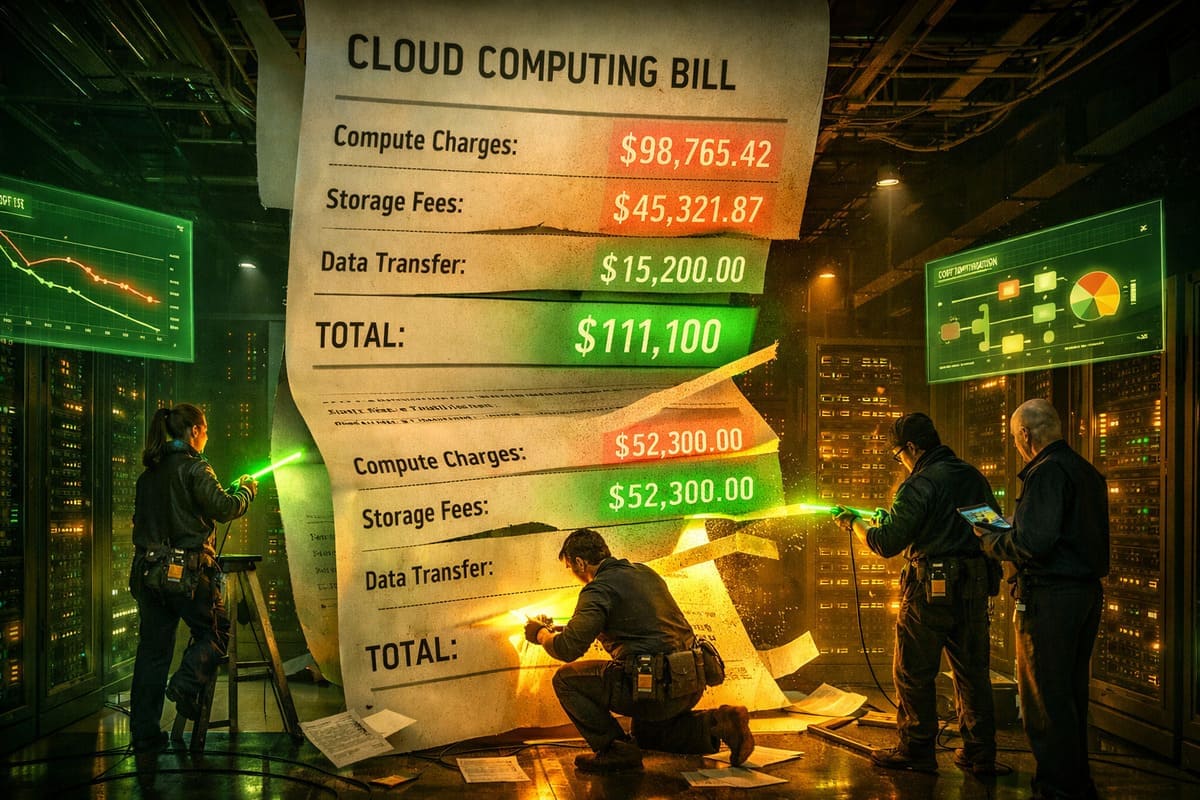
Data teams have a cost problem that nobody likes talking about. While engineering leadership celebrates the value of data-driven decisions, the finance team sees something different: cloud bills that grow 30-50% year over year, driven primarily by data pipelines that run 24/7, process terabytes daily, and resist every attempt at optimization.
In 2026, data engineering workloads are among the most expensive line items in enterprise cloud spending. A mid-sized company's Snowflake or Databricks bill can easily reach $500K-$2M per year. Larger organizations spend ten times that. And the uncomfortable truth is that a significant portion of this spend - estimates range from 20% to 40% - goes to waste: queries that should not exist, pipelines that run but serve no one, and resources provisioned for peaks that rarely come.
This article covers the cost optimization patterns that are actually gaining traction in 2026 - not theoretical best practices, but specific techniques with measurable impact.
Where the Money Actually Goes
Before optimizing, it helps to understand the cost structure. Modern data platform costs break down into four main categories:
Compute (50-70% of total spend). This includes warehouse compute (Snowflake credits, Databricks DBUs, BigQuery slots), Spark/Flink cluster hours, and orchestration compute (Airflow workers, containers). Compute is the largest cost driver and the one with the most optimization potential.
Storage (10-20%). Raw data, transformed tables, intermediate datasets, snapshots, and backups. Storage costs grow monotonically - data accumulates but is rarely deleted. Object storage (S3, GCS) is cheap per GB but expensive at petabyte scale.
Data transfer (5-15%). Moving data between regions, between clouds, and between services. Often invisible until the bill arrives. A single cross-region copy of a large dataset can cost more than storing it for a month.
Tooling and licenses (10-20%). Platform fees, monitoring tools, data catalog subscriptions, orchestration platforms, and the hidden cost of maintaining open-source alternatives.
Pattern 1: Kill the Zombie Queries
Zombie queries are the low-hanging fruit of data cost optimization. These are queries that run regularly but serve no business purpose. They were useful once - supporting a dashboard that was decommissioned, feeding a model that was replaced, or generating a report that nobody reads anymore.
The scale of the zombie problem is consistently underestimated. When teams audit their query logs, they typically find that 15-30% of recurring queries have no active consumers. At $0.005 per Snowflake credit, a single zombie query running daily on a Large warehouse for a year can waste $5,000-$15,000.
Databricks recently deployed AI agents that automatically detect zombie queries - including infinite loops, inefficient Cartesian products, and queries on tables with no downstream dependencies. But the same detection can be done with straightforward SQL against query history logs:
-- Snowflake: Find potentially zombie recurring queries
-- Queries that run regularly but whose output tables have no recent reads

WITH recurring_queries AS (
    SELECT
        query_hash,
        query_text,
        COUNT(*) AS execution_count,
        SUM(total_elapsed_time) / 1000 / 60 AS total_minutes,
        SUM(credits_used_cloud_services) AS total_credits,
        MAX(start_time) AS last_run,
        -- Extract target table from INSERT/CREATE statements
        REGEXP_SUBSTR(query_text, 'INTO\\s+(\\S+)', 1, 1, 'i', 1) AS target_table
    FROM snowflake.account_usage.query_history
    WHERE start_time > DATEADD('day', -30, CURRENT_TIMESTAMP())
      AND query_type IN ('INSERT', 'CREATE_TABLE_AS_SELECT', 'MERGE')
      AND execution_status = 'SUCCESS'
    GROUP BY query_hash, query_text
    HAVING COUNT(*) > 5  -- Runs at least 5 times in 30 days
),

table_reads AS (
    SELECT
        DISTINCT table_name
    FROM snowflake.account_usage.access_history,
        LATERAL FLATTEN(base_objects_accessed) obj
    WHERE query_start_time > DATEADD('day', -30, CURRENT_TIMESTAMP())
)

SELECT
    rq.target_table,
    rq.execution_count,
    rq.total_minutes,
    rq.total_credits,
    CASE
        WHEN tr.table_name IS NULL THEN 'ZOMBIE — no reads in 30 days'
        ELSE 'Active'
    END AS status
FROM recurring_queries rq
LEFT JOIN table_reads tr ON rq.target_table = tr.table_name
WHERE tr.table_name IS NULL
ORDER BY rq.total_credits DESC;
Running this query monthly and decommissioning confirmed zombies typically saves 15-25% of compute spend with zero impact on business operations.
Pattern 2: Right-Size Warehouse Compute
Most data teams over-provision warehouse compute because the cost of an analyst waiting for a slow query feels more painful than the cost of an oversized warehouse running in the background. This leads to a predictable pattern: warehouses are sized for peak workloads and run at 10-30% utilization most of the time.
The fix is not simply making warehouses smaller. It is creating multiple warehouses sized for different workload types:
-- Snowflake: Workload-appropriate warehouse sizing

-- ETL/ELT: Large warehouse, auto-suspend aggressively
CREATE WAREHOUSE IF NOT EXISTS etl_wh
    WAREHOUSE_SIZE = 'LARGE'
    AUTO_SUSPEND = 60           -- Suspend after 1 minute idle
    AUTO_RESUME = TRUE
    MIN_CLUSTER_COUNT = 1
    MAX_CLUSTER_COUNT = 3       -- Scale out for parallel loads
    SCALING_POLICY = 'ECONOMY'; -- Wait before scaling up

-- Analyst ad-hoc: Medium, longer suspend for interactive use
CREATE WAREHOUSE IF NOT EXISTS analyst_wh
    WAREHOUSE_SIZE = 'MEDIUM'
    AUTO_SUSPEND = 300          -- 5 minutes for interactive work
    AUTO_RESUME = TRUE
    MIN_CLUSTER_COUNT = 1
    MAX_CLUSTER_COUNT = 2;

-- Dashboard refresh: Small, very aggressive suspend
CREATE WAREHOUSE IF NOT EXISTS dashboard_wh
    WAREHOUSE_SIZE = 'SMALL'
    AUTO_SUSPEND = 30           -- 30 seconds — dashboards are bursty
    AUTO_RESUME = TRUE;

-- Heavy transforms: XL but only runs during nightly window
CREATE WAREHOUSE IF NOT EXISTS nightly_transform_wh
    WAREHOUSE_SIZE = 'X-LARGE'
    AUTO_SUSPEND = 60
    AUTO_RESUME = TRUE
    INITIALLY_SUSPENDED = TRUE; -- Don't start until needed
This segmentation alone typically reduces compute costs by 20-35% because each workload type uses resources appropriate to its needs rather than sharing an oversized general-purpose warehouse.
Pattern 3: Materialized Views Over Redundant Transformations
A common cost pattern in dbt projects: multiple models transform the same source data in slightly different ways for different consumers. A marketing model, a finance model, and an operations model all join the orders table with the customers table, apply slightly different filters, and compute slightly different aggregations.
Each of these models runs independently, scanning the same source tables and performing similar joins. At scale, this redundancy is expensive. The fix is identifying shared transformation logic and materializing it once:
-- dbt: Before — three models each scanning the same large tables

-- models/marketing/marketing_orders.sql
SELECT o.*, c.segment, c.acquisition_channel
FROM {{ ref('stg_orders') }} o
JOIN {{ ref('stg_customers') }} c ON o.customer_id = c.id
WHERE o.status = 'completed'

-- models/finance/finance_orders.sql
SELECT o.*, c.billing_region, c.payment_terms
FROM {{ ref('stg_orders') }} o
JOIN {{ ref('stg_customers') }} c ON o.customer_id = c.id
WHERE o.status = 'completed'

-- models/ops/ops_orders.sql
SELECT o.*, c.support_tier, c.account_manager
FROM {{ ref('stg_orders') }} o
JOIN {{ ref('stg_customers') }} c ON o.customer_id = c.id
WHERE o.status IN ('completed', 'processing')


-- After — shared intermediate model, scans once

-- models/intermediate/int_orders_enriched.sql
-- materialized='table' — computed once, read many times
{{ config(materialized='table') }}

SELECT
    o.*,
    c.segment,
    c.acquisition_channel,
    c.billing_region,
    c.payment_terms,
    c.support_tier,
    c.account_manager
FROM {{ ref('stg_orders') }} o
JOIN {{ ref('stg_customers') }} c ON o.customer_id = c.id
WHERE o.status IN ('completed', 'processing')

-- Downstream models now read from the intermediate — no redundant scans
In one documented case, a data team reduced their nightly dbt run time from 4.5 hours to 1.8 hours - and the corresponding warehouse cost from $850 to $340 per night - simply by identifying and materializing 12 shared intermediate models.
Pattern 4: Storage Lifecycle Management
Data accumulates. Raw data lands daily. Transformed tables grow. Snapshots pile up. Backups multiply. Without active lifecycle management, storage costs grow linearly forever.
The most effective storage cost strategy is tiered retention with automated enforcement:
# Data lifecycle policy — enforce with a daily job
LIFECYCLE_POLICIES = {
    "raw": {
        "hot_retention_days": 90,      # Keep in fast storage
        "warm_retention_days": 365,    # Move to infrequent access
        "archive_retention_days": 1095, # Move to Glacier/Archive
        "delete_after_days": 2555,     # Delete after 7 years (compliance)
    },
    "staging": {
        "hot_retention_days": 30,
        "delete_after_days": 90,       # Staging is reproducible — no need to keep
    },
    "intermediate": {
        "hot_retention_days": 14,
        "delete_after_days": 30,       # Rebuild from source if needed
    },
    "analytics": {
        "hot_retention_days": 365,
        "warm_retention_days": 1095,
        "delete_after_days": 2555,
    },
    "ml_features": {
        "hot_retention_days": 180,
        "warm_retention_days": 365,
        "delete_after_days": 730,
    },
    "temp_tables": {
        "delete_after_days": 7,        # Aggressive cleanup
    },
}
The biggest savings come from the shortest retention tiers: staging and intermediate tables that are fully reproducible from source. Many organizations keep these tables indefinitely "just in case" when they could be rebuilt in hours from raw data. Deleting staging tables older than 90 days is a common quick win that reduces storage costs by 15-25%.
Pattern 5: Spot Instances for Batch Workloads
For teams running Spark, Flink, or other distributed processing on cloud infrastructure, spot instances (AWS) or preemptible VMs (GCP) offer 60-90% cost savings compared to on-demand pricing. The tradeoff is that the cloud provider can reclaim the instance with short notice.
Batch data pipelines are ideal spot instance candidates because they are typically fault-tolerant (can restart failed tasks) and not latency-sensitive (running overnight or on a schedule). The key is designing for interruption:
# Spark configuration for spot instance resilience
spark_config = {
    # Use spot for workers, on-demand for driver
    "spark.kubernetes.node.selector.worker": "spot",
    "spark.kubernetes.node.selector.driver": "on-demand",

    # Enable speculation — relaunch slow tasks on other nodes
    "spark.speculation": "true",
    "spark.speculation.multiplier": "1.5",

    # Checkpoint frequently to minimize recomputation on interruption
    "spark.checkpoint.dir": "s3://pipeline-checkpoints/",
    "spark.checkpoint.interval": "300",  # Every 5 minutes

    # Graceful decommission — finish current task before shutdown
    "spark.decommission.enabled": "true",
    "spark.storage.decommission.enabled": "true",
    "spark.storage.decommission.shuffleBlocks.enabled": "true",

    # External shuffle service — shuffle data survives worker loss
    "spark.shuffle.service.enabled": "true",
}
Teams that adopt spot instances for batch workloads typically see 40-60% reduction in compute costs for those specific jobs, with occasional longer run times when instances are reclaimed.
Pattern 6: Query-Level Cost Attribution
The most powerful cost optimization is not a technical pattern - it is an organizational one. When teams can see exactly how much each query, pipeline, and dashboard costs, they make different decisions.
Snowflake, Databricks, and BigQuery all provide query-level cost data through their system tables. The challenge is making this data visible to the people who can act on it:
-- Weekly cost report by team and pipeline
-- Send this to team leads every Monday

SELECT
    query_tag AS pipeline_name,       -- Tag queries with pipeline names
    warehouse_name,
    COUNT(*) AS query_count,
    ROUND(SUM(credits_used_cloud_services), 2) AS total_credits,
    ROUND(SUM(credits_used_cloud_services) * 3.00, 2) AS estimated_cost_usd,
    ROUND(AVG(total_elapsed_time) / 1000, 1) AS avg_seconds,
    ROUND(SUM(bytes_scanned) / POWER(1024, 3), 1) AS total_gb_scanned
FROM snowflake.account_usage.query_history
WHERE start_time > DATEADD('week', -1, CURRENT_TIMESTAMP())
  AND query_tag IS NOT NULL
GROUP BY query_tag, warehouse_name
ORDER BY total_credits DESC
LIMIT 50;
Organizations that implement cost attribution and share weekly reports with engineering teams consistently see 10-20% cost reduction in the first quarter, driven entirely by teams discovering and addressing their own inefficiencies.
The FinOps Mindset
All of these patterns share a common thread: they treat data infrastructure costs as an engineering problem, not a finance problem. The teams that successfully control costs do not rely on quarterly budget reviews or top-down mandates. They build cost visibility into their daily workflows - tagging queries, monitoring warehouse utilization, reviewing storage growth, and automating lifecycle policies.
This is the FinOps approach applied specifically to data engineering. The core principle is that the engineers who write the queries and build the pipelines are the people best positioned to optimize them - but only if they have visibility into the costs their work generates.
In 2026, the data teams that thrive will be the ones that treat cost efficiency as a feature, not a constraint. Every wasted dollar on compute is a dollar not spent on building something valuable. The patterns described here - killing zombies, right-sizing warehouses, materializing shared transforms, managing storage lifecycles, leveraging spot instances, and attributing costs to teams - are not exotic optimizations. They are basic hygiene for mature data organizations. The teams that practice them save 30-50% on their cloud bills and reinvest those savings in work that actually matters.



Leave a Comment