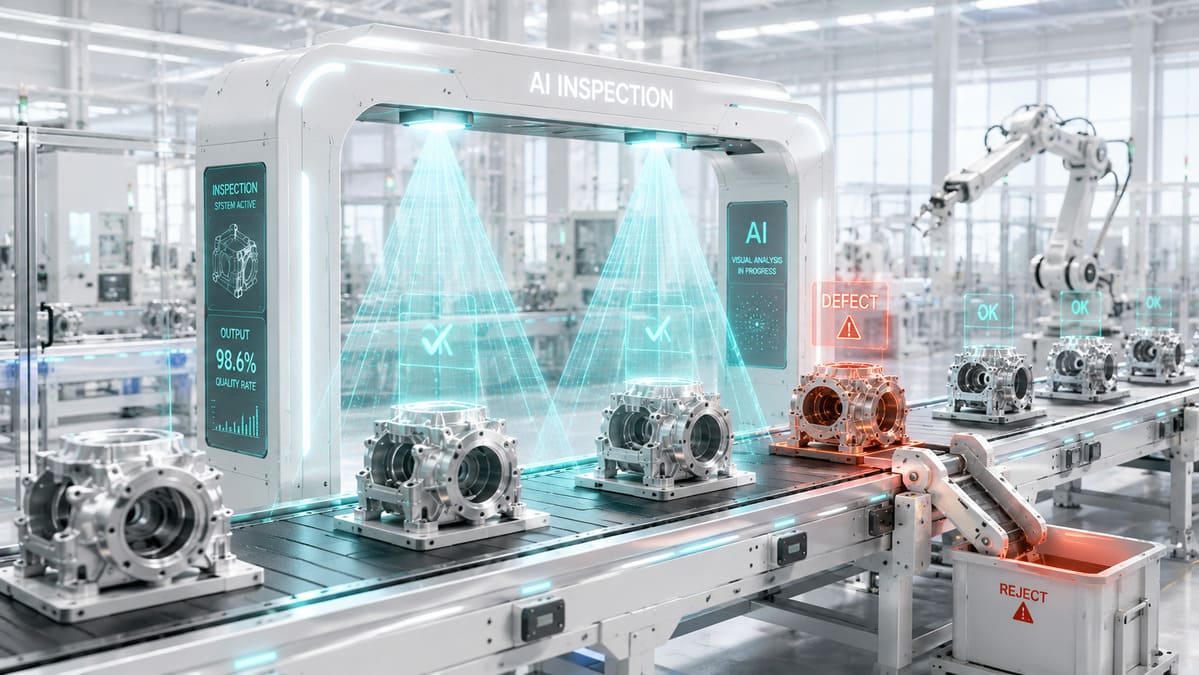
The factory floor manager showed me the reject bin. It was overflowing. "We catch about 60% of defects at the inspection station," he said. "The rest go out to customers." He had two human inspectors checking products at the end of the line, but at 40 units per minute, each inspector had about 1.5 seconds to look at a product, decide if it passed, and move on. They were good - experienced, diligent - but they were human. They got tired at 2 PM. They missed subtle color deviations. They could not see hairline cracks on reflective surfaces. Within three months of deploying an on-premise AI inspection system, their defect escape rate dropped from 40% to 3.2%. The system never gets tired and it catches things the human eye literally cannot see.
I have deployed vision-based quality control systems in four manufacturing facilities over the past 18 months. Every single one has the same constraint that makes this domain different from other AI deployments: the system has to run on the factory floor, without reliable internet, processing images in real time, and the product designs being inspected are proprietary. Cloud AI is not an option here - not primarily because of cost, but because of physics. You cannot wait 2 seconds for a cloud API response when products are moving past the camera at 40 per minute. You cannot send images of your proprietary product designs to a third-party server. And you absolutely cannot have your quality control system go down because someone tripped over the router cable in the front office.
The Factory Floor Reality
Manufacturing environments are hostile to technology in ways that office workers do not appreciate. The temperature ranges from 15C to 45C depending on the season and proximity to ovens, welders, or cooling systems. Vibration from stamping presses and CNC machines is constant. Metal dust, coolant mist, and plastic particulates are in the air. The network infrastructure, if it exists at all, is industrial Ethernet with bandwidth shared across PLCs, SCADA systems, and whatever IoT sensors the operations team has bolted on over the years.
A cloud-based AI solution in this environment fails in three ways. First, latency: a round trip to a cloud API takes 200-800ms on a good connection, and factory internet connections are rarely good. When you are inspecting 40 parts per minute, you have 1,500ms per part - and most of that time is needed for camera capture, lighting adjustment, and mechanical sorting. You have maybe 200-400ms for the actual classification decision. Cloud latency eats your entire budget. Second, reliability: factory internet goes down. Not occasionally - regularly. A conveyor belt does not stop because the WiFi dropped. Your inspection system needs to work during outages or it is worthless. Third, data sovereignty: every image your camera captures shows your proprietary product. The geometry, the surface finish, the assembly configuration - these are trade secrets. Sending thousands of images per hour to a cloud provider's servers is a conversation no manufacturing VP wants to have with their legal team.
On-premise AI solves all three problems. The inference hardware sits on or near the production line. The data never leaves the local network. And the system works identically whether the internet is up, down, or nonexistent.
Use Cases: What We Actually Inspect
The phrase "AI quality control" sounds futuristic, but the actual use cases are mundane in the best way. These are problems that have existed for decades, and the only thing that has changed is that hardware capable of solving them now costs $3,000 instead of $300,000.
Packaging Inspection
Seal integrity verification is the most common deployment I have done. A camera mounted above the packaging line captures an image of every sealed package. The AI model classifies the seal as: good, wrinkled, incomplete, contaminated, or misaligned. Any non-good classification triggers a pneumatic diverter that pushes the package off the main conveyor onto a reject line for re-inspection.
Label verification is the second most common. The model reads the label (using OCR) and checks: is the product name correct for what is in the package? Is the lot number present and formatted correctly? Is the expiration date within the expected range? Are regulatory symbols (UL, CE, FDA) present where required? A food manufacturer I worked with was averaging 1.2% mislabeled packages per shift - which does not sound like much until you realize that a single mislabeled allergen can trigger a recall costing hundreds of thousands of dollars.
Surface Defect Detection
This is where AI genuinely outperforms humans. Surface defects - scratches, dents, discoloration, porosity, inclusion marks - are often subtle, inconsistent in appearance, and exhausting to detect over an 8-hour shift. A human inspector catching 60% of surface defects is considered good. An AI model trained on 5,000-10,000 labeled images of good and defective parts routinely achieves 95-99% detection rates.
The specific defect types I have deployed models for:
- Metal surface scratches: Hairline scratches on machined aluminum parts, detected using a combination of structured lighting (to create shadows in the scratch grooves) and a classification model
- Injection molding flash: Excess plastic at mold parting lines, which varies from a barely visible ridge to a clearly visible flap
- Paint defects: Orange peel texture, runs, sags, fisheyes, and color deviations from the standard. Color deviation detection requires a calibrated camera and controlled lighting - the model is only as good as the consistency of your capture setup
- Weld quality: Porosity, undercut, spatter, and bead geometry deviations in MIG and spot welds
Assembly Verification
The third major category is verifying that assembled products have the correct components in the correct orientation. A camera above the assembly station captures the product, and the model checks: are all fasteners present? Is the gasket seated correctly? Is the wiring harness routed through the correct channels? Are the components the correct color/size/orientation?
This use case is particularly valuable for mixed-model production lines where different product variants run on the same line. Human inspectors need to remember which variant they are inspecting and what the correct configuration looks like for each variant. The AI model handles this automatically - you tell it which variant is running, and it applies the correct inspection criteria.
System Architecture: Camera to Decision in 200ms
The architecture for an on-premise quality control system is straightforward. Every deployment I have done follows this pattern:
Camera (GigE Vision or USB3)
    ↓
Image Capture Server (triggers on sensor/PLC signal)
    ↓
Preprocessing (crop, resize, normalize, lighting correction)
    ↓
GPU Inference (classification or object detection model)
    ↓
Decision Logic (pass/fail threshold, defect categorization)
    ↓
Action (PLC signal to diverter, database log, alert)
The entire pipeline runs on a single machine. No network calls, no external dependencies, no single points of failure outside the inspection station itself.
Hardware Setup
There are two tiers of hardware I deploy, depending on the throughput requirements and the complexity of the inspection task.
Tier 1: Edge deployment (NVIDIA Jetson Orin)
- NVIDIA Jetson AGX Orin 64GB - $1,999
- GigE Vision industrial camera (Basler or FLIR) - $800-2,000
- Industrial lighting (LED bar or ring light) - $200-500
- Industrial enclosure (IP65 rated) - $300-600
- Total: $3,300-5,100
The Jetson Orin handles inference for classification models (ResNet, EfficientNet) at 10-50ms per image, which is fast enough for lines running up to 60 parts per minute. It draws about 60W of power, runs fanless in the right enclosure, and handles the temperature and vibration of a factory floor without issues. I have Orin units that have been running 24/7 for over a year without a single hardware failure.
Tier 2: Server deployment (GPU workstation)
- Dell Precision or custom tower with RTX 4090 - $4,000-6,000
- Multiple GigE Vision cameras (up to 4 per server) - $3,200-8,000
- Industrial lighting per station - $200-500 each
- Network switch (if multiple cameras) - $200
- Total: $7,600-14,700
The server deployment is for situations where you need more complex models (YOLO-based object detection for assembly verification), multiple camera feeds processed simultaneously, or you want to run the training pipeline on the same hardware. An RTX 4090 handles four simultaneous camera feeds at 30fps each with a YOLOv8 model comfortably.
Camera and Lighting: 80% of Your Success
I cannot stress this enough: the AI model is maybe 20% of what makes these systems work. The camera setup and lighting are 80%. I have seen teams spend months fine-tuning a model to detect surface defects, only to discover that a $200 lighting change made the defects trivially visible to even a basic model.
The principles:
- Consistent lighting eliminates variables. Use structured, controlled lighting - not ambient factory lighting. LED bar lights at specific angles create consistent shadows that make defects visible. Backlighting makes edge defects and dimensional issues obvious. Dome lighting eliminates reflections on shiny surfaces.
- High-resolution cameras are not always better. A 5-megapixel camera at the right angle with the right lighting will outperform a 20-megapixel camera with bad lighting. Higher resolution means more pixels to process, which means slower inference. Match the resolution to the smallest defect you need to detect.
- Trigger timing matters. The camera must fire at the exact moment the product is in position and stationary (or moving predictably). A photoelectric sensor or PLC signal triggers the capture. Jitter in trigger timing causes inconsistent images, which kills model accuracy.
Building the Detection Pipeline: Real Code
Here is a simplified but functional defect detection pipeline that I use as the starting point for every deployment. This runs on both Jetson and x86 GPU hardware.
import cv2
import numpy as np
import torch
from torchvision import transforms, models
from pathlib import Path
import time
import json
import logging

logging.basicConfig(level=logging.INFO)
logger = logging.getLogger("qc_inspector")


class DefectInspector:
    """On-premise defect detection for manufacturing QC."""

    def __init__(self, model_path: str, class_names: list[str],
                 confidence_threshold: float = 0.85):
        self.device = torch.device(
            "cuda" if torch.cuda.is_available() else "cpu"
        )
        self.confidence_threshold = confidence_threshold
        self.class_names = class_names

        # Load the trained classification model
        self.model = models.efficientnet_v2_s(weights=None)
        self.model.classifier[1] = torch.nn.Linear(
            self.model.classifier[1].in_features, len(class_names)
        )
        self.model.load_state_dict(
            torch.load(model_path, map_location=self.device)
        )
        self.model.to(self.device)
        self.model.eval()

        # Preprocessing pipeline — must match training transforms
        self.transform = transforms.Compose([
            transforms.ToPILImage(),
            transforms.Resize((384, 384)),
            transforms.ToTensor(),
            transforms.Normalize(
                mean=[0.485, 0.456, 0.406],
                std=[0.229, 0.224, 0.225]
            ),
        ])

        logger.info(
            f"Model loaded on {self.device}. "
            f"Classes: {class_names}. "
            f"Threshold: {confidence_threshold}"
        )

    def inspect(self, image: np.ndarray) -> dict:
        """
        Classify a single product image.

        Returns:
            {
                "prediction": "good" | "defect_type",
                "confidence": 0.0-1.0,
                "pass": True/False,
                "inference_ms": float,
                "all_scores": {class: score}
            }
        """
        start = time.perf_counter()

        # Preprocess
        tensor = self.transform(image).unsqueeze(0).to(self.device)

        # Inference
        with torch.no_grad():
            outputs = self.model(tensor)
            probabilities = torch.nn.functional.softmax(outputs, dim=1)

        elapsed_ms = (time.perf_counter() - start) * 1000

        # Get prediction
        scores = probabilities[0].cpu().numpy()
        pred_idx = int(np.argmax(scores))
        pred_class = self.class_names[pred_idx]
        pred_confidence = float(scores[pred_idx])

        # Pass/fail logic
        is_pass = (
            pred_class == "good"
            and pred_confidence >= self.confidence_threshold
        )

        result = {
            "prediction": pred_class,
            "confidence": round(pred_confidence, 4),
            "pass": is_pass,
            "inference_ms": round(elapsed_ms, 2),
            "all_scores": {
                name: round(float(score), 4)
                for name, score in zip(self.class_names, scores)
            },
        }

        logger.info(
            f"Inspection: {pred_class} ({pred_confidence:.1%}) "
            f"{'PASS' if is_pass else 'FAIL'} "
            f"[{elapsed_ms:.1f}ms]"
        )

        return result


class ProductionLineInspector:
    """Manages camera capture and continuous inspection."""

    def __init__(self, inspector: DefectInspector,
                 camera_id: int = 0,
                 results_dir: str = "/var/qc/results"):
        self.inspector = inspector
        self.camera_id = camera_id
        self.results_dir = Path(results_dir)
        self.results_dir.mkdir(parents=True, exist_ok=True)

        # Statistics
        self.stats = {
            "total": 0, "pass": 0, "fail": 0,
            "defect_counts": {}, "avg_inference_ms": 0.0
        }

    def capture_and_inspect(self, frame: np.ndarray) -> dict:
        """Process a single frame from the camera."""
        self.stats["total"] += 1

        # Crop to region of interest (configured per installation)
        # In production, ROI coordinates come from calibration
        roi = self._extract_roi(frame)

        # Run inspection
        result = self.inspector.inspect(roi)

        # Update statistics
        if result["pass"]:
            self.stats["pass"] += 1
        else:
            self.stats["fail"] += 1
            defect = result["prediction"]
            self.stats["defect_counts"][defect] = \
                self.stats["defect_counts"].get(defect, 0) + 1

            # Save failed inspection images for review
            fail_path = (
                self.results_dir / "failures"
                / f"{int(time.time())}_{defect}.jpg"
            )
            fail_path.parent.mkdir(exist_ok=True)
            cv2.imwrite(str(fail_path), roi)

        # Running average of inference time
        n = self.stats["total"]
        self.stats["avg_inference_ms"] = (
            self.stats["avg_inference_ms"] * (n - 1)
            + result["inference_ms"]
        ) / n

        return result

    def _extract_roi(self, frame: np.ndarray) -> np.ndarray:
        """Extract region of interest from full camera frame."""
        # In production, these coordinates are set during calibration
        h, w = frame.shape[:2]
        # Default: center 80% of the frame
        margin_x, margin_y = int(w * 0.1), int(h * 0.1)
        return frame[margin_y:h-margin_y, margin_x:w-margin_x]

    def get_shift_report(self) -> dict:
        """Generate end-of-shift quality report."""
        total = self.stats["total"]
        if total == 0:
            return {"message": "No inspections performed"}

        return {
            "total_inspected": total,
            "passed": self.stats["pass"],
            "failed": self.stats["fail"],
            "pass_rate": round(self.stats["pass"] / total * 100, 2),
            "defect_breakdown": self.stats["defect_counts"],
            "avg_inference_ms": round(self.stats["avg_inference_ms"], 2),
        }


# Example usage
if __name__ == "__main__":
    inspector = DefectInspector(
        model_path="/opt/qc/models/seal_inspector_v3.pth",
        class_names=["good", "wrinkled", "incomplete",
                      "contaminated", "misaligned"],
        confidence_threshold=0.85,
    )

    line = ProductionLineInspector(inspector, camera_id=0)

    # In production, frames come from GigE Vision camera
    # triggered by PLC signal. This simulates that loop.
    cap = cv2.VideoCapture(0)

    try:
        while True:
            ret, frame = cap.read()
            if not ret:
                continue

            result = line.capture_and_inspect(frame)

            if not result["pass"]:
                # In production: send PLC signal to diverter
                # plc.write("diverter_activate", True)
                logger.warning(
                    f"DEFECT DETECTED: {result['prediction']} "
                    f"(confidence: {result['confidence']:.1%})"
                )
    except KeyboardInterrupt:
        report = line.get_shift_report()
        print(json.dumps(report, indent=2))
    finally:
        cap.release()
A few things worth noting about this code. The confidence_threshold of 0.85 is critical - it means the model must be 85% confident a part is "good" to pass it. If the model is 80% sure it is good and 15% sure it is wrinkled, it fails. This biases toward false rejects (sending good parts to the reject bin for human re-inspection) rather than false passes (shipping defective parts to customers). In quality control, false rejects cost you a few seconds of re-inspection time. False passes cost you customer returns, warranty claims, and reputation damage. Always bias toward rejection.
The _extract_roi method is simplistic in this example. In production, the region of interest extraction is calibrated per installation using a physical jig that places a reference part in front of the camera. The calibration process records the exact pixel coordinates where the product edges appear and uses those coordinates for every subsequent frame. This is usually a 30-minute setup process per camera station.
Training the Model: You Need Data, Not a PhD
The most common question I get: "How much data do I need?" The answer depends on the complexity of the defect, but here are the numbers from my actual deployments:
| Inspection Type | Training Images Needed | Training Time (RTX 4090) | Accuracy Achieved |
|---|---|---|---|
| Binary (good/bad) | 500-1,000 per class | 15-30 minutes | 96-99% |
| Multi-class (4-6 defect types) | 300-500 per class | 30-60 minutes | 93-97% |
| Object detection (localize defects) | 1,000-3,000 annotated | 2-4 hours | 90-95% mAP |
| Anomaly detection (unsupervised) | 1,000+ good samples only | 1-2 hours | 85-92% |
The data collection process is the biggest time investment. I set up the camera and lighting first, then run the production line for 2-3 shifts while capturing every image. A quality inspector sits next to the camera and labels each image as it is captured - good, or which specific defect type. This is tedious work, but it is the foundation of everything. Bad labels produce bad models, full stop.
For the training itself, I use a transfer learning approach with EfficientNetV2 (pretrained on ImageNet) for classification tasks and YOLOv8 for object detection tasks. Transfer learning is the key insight for manufacturing AI: instead of training a model from scratch (which would require millions of images), we take a model that already understands visual features (edges, textures, shapes) and teach it to recognize the specific defects in your products. This is why 500 images per class is enough - the model already knows how to see; we are just teaching it what to look for.
# Training a classification model (simplified)
# This runs on the GPU server, not the edge device

# Install dependencies
pip install torch torchvision ultralytics

# Directory structure for training data:
# /data/qc_training/
#   good/          (500+ images of good products)
#   wrinkled/      (300+ images of wrinkled seals)
#   incomplete/    (300+ images of incomplete seals)
#   contaminated/  (300+ images of contaminated seals)
#   misaligned/    (300+ images of misaligned seals)
# train_classifier.py
import torch
from torchvision import datasets, transforms, models
from torch.utils.data import DataLoader
from pathlib import Path
DATA_DIR = "/data/qc_training"
MODEL_OUT = "/opt/qc/models/seal_inspector_v3.pth"
NUM_CLASSES = 5 # good + 4 defect types
EPOCHS = 30
BATCH_SIZE = 32
# Data augmentation — critical for small datasets
train_transform = transforms.Compose([
transforms.Resize((384, 384)),
transforms.RandomHorizontalFlip(),
transforms.RandomVerticalFlip(),
transforms.RandomRotation(15),
transforms.ColorJitter(
brightness=0.2, contrast=0.2, saturation=0.1
),
transforms.ToTensor(),
transforms.Normalize([0.485, 0.456, 0.406],
[0.229, 0.224, 0.225]),
])
dataset = datasets.ImageFolder(DATA_DIR, transform=train_transform)
train_size = int(0.8 * len(dataset))
val_size = len(dataset) - train_size
train_set, val_set = torch.utils.data.random_split(
dataset, [train_size, val_size]
)
train_loader = DataLoader(train_set, batch_size=BATCH_SIZE,
shuffle=True, num_workers=4)
val_loader = DataLoader(val_set, batch_size=BATCH_SIZE,
shuffle=False, num_workers=4)
# Transfer learning from EfficientNetV2
model = models.efficientnet_v2_s(weights="IMAGENET1K_V1")
model.classifier[1] = torch.nn.Linear(
model.classifier[1].in_features, NUM_CLASSES
)
device = torch.device("cuda")
model = model.to(device)
optimizer = torch.optim.AdamW(model.parameters(), lr=1e-4)
criterion = torch.nn.CrossEntropyLoss()
scheduler = torch.optim.lr_scheduler.CosineAnnealingLR(
optimizer, T_max=EPOCHS
)
best_val_acc = 0.0
for epoch in range(EPOCHS):
model.train()
train_loss = 0.0
for images, labels in train_loader:
images, labels = images.to(device), labels.to(device)
optimizer.zero_grad()
outputs = model(images)
loss = criterion(outputs, labels)
loss.backward()
optimizer.step()
train_loss += loss.item()
# Validation
model.eval()
correct, total = 0, 0
with torch.no_grad():
for images, labels in val_loader:
images, labels = images.to(device), labels.to(device)
outputs = model(images)
_, predicted = torch.max(outputs, 1)
total += labels.size(0)
correct += (predicted == labels).sum().item()
val_acc = correct / total
scheduler.step()
print(f"Epoch {epoch+1}/{EPOCHS} | "
f"Loss: {train_loss/len(train_loader):.4f} | "
f"Val Acc: {val_acc:.1%}")
if val_acc > best_val_acc:
best_val_acc = val_acc
torch.save(model.state_dict(), MODEL_OUT)
print(f" Saved best model (acc: {val_acc:.1%})")
print(f"Training complete. Best validation accuracy: {best_val_acc:.1%}")This training script typically produces a model with 95-98% validation accuracy on a well-labeled dataset of 2,000+ images. The data augmentation transforms (flips, rotations, color jitter) are essential when working with small datasets - they effectively multiply your training data by showing the model variations it has not explicitly seen.
Performance Requirements and Reality
Manufacturing quality control has hard real-time requirements. Here is what the numbers actually look like across the hardware I have deployed:
| Hardware | Model | Inference Time | Max Throughput | Power Draw |
|---|---|---|---|---|
| Jetson AGX Orin | EfficientNetV2-S | 18ms | 55 parts/min | 45W |
| Jetson AGX Orin | YOLOv8-M | 35ms | 28 parts/min | 55W |
| RTX 4090 | EfficientNetV2-S | 4ms | 250 parts/min | 200W |
| RTX 4090 | YOLOv8-M | 8ms | 125 parts/min | 220W |
| RTX 4090 | YOLOv8-L (4 cameras) | 12ms per stream | 80 parts/min/cam | 350W |
These are TensorRT-optimized numbers. Running the same models without TensorRT optimization roughly doubles the inference time. TensorRT is NVIDIA's inference optimization toolkit that converts PyTorch models into hardware-optimized formats. The conversion takes about 5 minutes and the speedup is dramatic - this is a step you should never skip for production deployment.
# Convert PyTorch model to TensorRT (using torch2trt)
pip install torch2trt

# Or using NVIDIA's trtexec for ONNX models:
# First export PyTorch to ONNX
python -c "
import torch
from torchvision import models
model = models.efficientnet_v2_s(weights=None)
model.classifier[1] = torch.nn.Linear(
    model.classifier[1].in_features, 5)
model.load_state_dict(torch.load('model.pth'))
model.eval()
dummy = torch.randn(1, 3, 384, 384)
torch.onnx.export(model, dummy, 'model.onnx',
                  input_names=['input'],
                  output_names=['output'],
                  dynamic_axes={'input': {0: 'batch'}})
"

# Then optimize with TensorRT
/usr/src/tensorrt/bin/trtexec \
    --onnx=model.onnx \
    --saveEngine=model.trt \
    --fp16 \
    --workspace=4096
Cloud vs On-Premise: The Honest Comparison for Manufacturing
I want to be fair to cloud solutions because they do exist in this space. Amazon Lookout for Vision, Google Cloud Visual Inspection AI, and Azure Custom Vision all offer manufacturing QC capabilities. Here is how they compare to on-premise for the specific constraints of factory floor deployment:
| Factor | On-Premise (Jetson/GPU Server) | Cloud (AWS/GCP/Azure) |
|---|---|---|
| Inference latency | 4-35ms | 200-800ms + network |
| Works offline | Yes | No |
| Data stays on-site | Yes | No |
| Cost per inspection (at 1M/month) | $0.00004 | $0.001-0.01 |
| Hardware cost | $3,000-15,000 | $0 |
| Monthly operating cost | ~$30 electricity | $1,000-10,000 |
| Setup complexity | High (custom code) | Medium (managed service) |
| Model customization | Full control | Limited to provider's framework |
| Break-even (vs cloud) | 1-4 months | - |
The cost comparison is stark at manufacturing volumes. A factory inspecting 1 million parts per month (not unusual - that is about 23 parts per minute across two shifts) would pay $1,000-10,000/month for cloud inspection APIs. The on-premise hardware pays for itself in 1-4 months. And the latency difference alone disqualifies cloud solutions for most high-speed production lines.
Where cloud solutions do make sense: low-volume, high-value manufacturing (aerospace, medical devices) where you are inspecting 50-500 parts per day, each part is worth thousands of dollars, and the team does not have ML engineering expertise. The managed service removes the need for custom model training and deployment. But at anything approaching volume production, the math overwhelmingly favors on-premise.
Deployment Checklist: From Concept to Production
Here is the sequence I follow for every manufacturing AI deployment. The timeline is typically 6-10 weeks from first conversation to production operation.
Week 1-2: Assessment and camera setup. Visit the facility, understand the production line, identify inspection points, select camera positions. Install cameras and lighting. This is the most important phase - get the imaging wrong and no amount of model training will save you.
Week 3-4: Data collection. Run the cameras for 2-3 shifts, capturing every product with a quality inspector manually labeling in real time. Target: minimum 300 images per defect class, 500+ images of good products. More data is always better, but this is the practical minimum for transfer learning to work.
Week 5-6: Model training and validation. Train the classification or detection model. Validate on held-out test data. Review false positives and false negatives with the quality team. Iterate on training data (add more examples of edge cases the model gets wrong). Target: 95%+ accuracy before deployment.
Week 7-8: Integration and testing. Deploy the model on the edge hardware. Connect to the PLC for trigger signals and diverter control. Run in shadow mode (model makes decisions but does not trigger the diverter) for one full shift. Compare model decisions to human inspector decisions. Fix discrepancies.
Week 9-10: Production cutover. Enable the diverter. Run with both AI and human inspector for one shift to verify. Gradually reduce human oversight as confidence builds. Set up monitoring dashboards showing pass/fail rates, defect distribution, and inference latency.
The ongoing maintenance requirement is lower than most people expect. The model needs retraining when: you introduce a new product variant, you change a supplier (which changes the appearance of incoming materials), or the defect distribution shifts significantly. In practice, I retrain models every 3-6 months, and the retraining process takes a few hours including data collection of the new variants.
The ROI That Gets Budget Approval
Talking to factory managers about neural networks and inference latency does not get budgets approved. Talking about scrap reduction, customer return rates, and inspector labor costs does. Here are the numbers from a real deployment at a packaging facility:
- Before AI: 2 human inspectors per shift, 3 shifts, $22/hour each = $316,800/year in labor. Defect escape rate: 38%. Customer returns due to quality: ~$180,000/year.
- After AI: 1 human inspector per shift (reviewing AI rejects only), AI inspection station = $12,000 hardware. Defect escape rate: 3.2%. Customer returns due to quality: ~$14,000/year.
- Annual savings: $105,600 (labor) + $166,000 (reduced returns) = $271,600. Hardware investment recovered in 17 days.
Those numbers got the expansion approved for three more production lines within six months.
The human inspectors, by the way, were not laid off. They were moved to the rework station where they fix the defects the AI catches - a job that requires more skill and judgment than spotting defects at production speed. The AI handles the tedious, repetitive detection task. The humans handle the nuanced, judgment-heavy repair task. That is the division of labor that works.
If you are running a manufacturing operation and want to explore AI-based quality control, we can help assess your production line for AI inspection feasibility, recommend the right hardware and camera configuration, and build a custom detection model trained on your specific products. The initial assessment is free - we will tell you honestly whether AI inspection makes sense for your particular situation.



Leave a Comment