A BI dashboard feels instant until someone clicks "last 24 months" and the spinner takes over. The fix is rarely "just add RAM." For many teams, an in-memory column store combined with the right query plans - star transformations plus vectorized scans - is the difference between 200 ms and "go get coffee." But the win comes from star-schema awareness, vectorized operators, and smart memory sizing working together, not from caching everything.
Concepts and Architecture
Columnar layout and late materialization
- Data is stored column-by-column, compressed per column using codecs (RLE, dictionary, bit-packing).
- Engines fetch only the referenced columns and delay reassembling rows ("late materialization"), minimizing memory movement.
Vectorized execution
- Operators process data in fixed-size batches (e.g., 2-64K values) using SIMD.
- Benefits: fewer function calls, CPU-cache friendly, and better branch prediction.
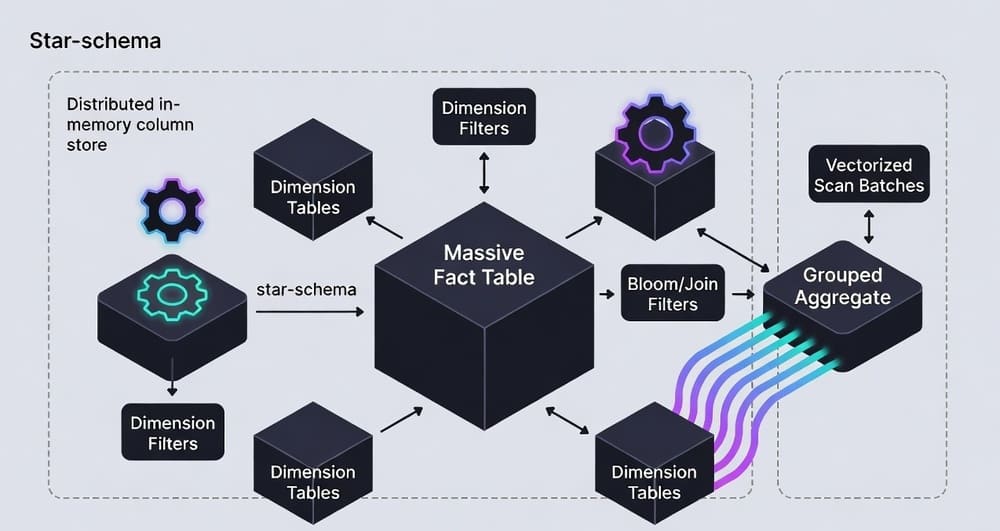
Star transformation (star join optimization)
BI queries run over a star schema: a big FACT_SALES table with multiple small DIM_* tables. The optimizer:
- Filters each dimension (pushdown predicates).
- Builds join filters (often Bloom filters or bitmaps).
- Semi-joins the fact to prune row groups before the full join/aggregate.
The fact scan skips vast swaths of data, so you aggregate far less.
In-memory vs. "in-cache"
- A true in-memory column store keeps working sets resident and executes vector ops from RAM/CPU cache.
- Many cloud warehouses rely on aggressive caching plus SSD spill - fine until concurrency spikes or a cold start.
A Concrete Example (Snowflake and DuckDB)
Schema (shortened):
-- Fact table (billions of rows)
CREATE TABLE FACT_SALES(
  date_id        DATE,
  store_id       INT,
  product_id     INT,
  qty            INT,
  gross_amount   NUMBER(12,2),
  net_amount     NUMBER(12,2)
);

-- Dimensions (small)
CREATE TABLE DIM_DATE(..., is_weekend BOOLEAN, fiscal_qtr STRING);
CREATE TABLE DIM_STORE(store_id INT, region STRING, country STRING);
CREATE TABLE DIM_PRODUCT(product_id INT, category STRING, brand STRING);
Query pattern (star transformation target):
-- BI query: last 8 quarters, only "Beverage" and selected regions
SELECT  d.fiscal_qtr,
        p.category,
        SUM(f.net_amount) AS revenue,
        SUM(f.qty)        AS units
FROM FACT_SALES f
JOIN DIM_DATE    d ON f.date_id    = d.date_id
JOIN DIM_PRODUCT p ON f.product_id = p.product_id
JOIN DIM_STORE   s ON f.store_id   = s.store_id
WHERE d.fiscal_qtr BETWEEN 'FY23Q1' AND 'FY24Q4'
  AND p.category = 'Beverage'
  AND s.region IN ('NE','SE')
GROUP BY d.fiscal_qtr, p.category;
What a capable engine does under the hood:
- Filters DIM_DATE, DIM_PRODUCT, DIM_STORE.
- Builds Bloom filters for
product_idandstore_id. - Applies filters during the vectorized fact scan, discarding row groups early.
- Aggregates vectors with SIMD (sum/min/max/count are very fast on compressed, typed vectors).
DuckDB local vectorized sketch (Python):
import duckdb
con = duckdb.connect()
# Assume parquet files partitioned by date
con.execute("""
SELECT d.fiscal_qtr, p.category, SUM(f.net_amount) AS revenue
FROM 's3://bucket/fact_sales/*.parquet' f
JOIN dim_product p USING(product_id)
JOIN dim_date d USING(date_id)
WHERE d.fiscal_qtr BETWEEN 'FY23Q1' AND 'FY24Q4'
  AND p.category='Beverage'
GROUP BY d.fiscal_qtr, p.category;
""")
DuckDB automatically vectorizes; on large Parquet it prunes columns and partitions, then pushes filters into the scan.
Cost/Benefit: Do You Really Need More RAM?
Back-of-envelope sizing
Let:
- C = compressed size of the columns actually scanned for hot dashboards.
- α = expansion factor during execution (decompression + vectors + hash tables). Typically 1.3-3.0×.
- K = peak concurrency (simultaneous heavy dashboards).
- S = safety margin (~1.2× to absorb bursts).
Required RAM for a fully in-memory hot set:
RAM ≈ C × α × K × SExample:
- You scan 4 columns of FACT_SALES compressed to 250 GB total for top BI queries.
- α = 2.0, K = 6, S = 1.25 → RAM ≈ 250 × 2 × 6 × 1.25 = 3.75 TB.
- If you keep only the 90-day hot window in memory (say 60 GB compressed), RAM drops to ~900 GB under the same assumptions.
When RAM is worth it
- Repeated, latency-sensitive dashboards (sub-second expectations).
- High-selectivity predicates on dimensions (star transformation pays off).
- Heavy group-bys on a few numeric columns (vector aggregates are fast).
When to save the budget
- Ad-hoc, scan-everything exploration on wide tables - SSD plus compressed columnar often suffices.
- If predicates are unselective (you scan most of the fact anyway).
- If concurrency is modest and caches stay warm.
Comparison: What Actually Changes
| Technique | What it does | Wins | Trade-offs | Best for |
|---|---|---|---|---|
| Row store + nested loops | Row-at-a-time execution | Simple | CPU overhead, cache misses | OLTP |
| Column store (disk) | Column pruning + compression | Large I/O savings | Cold-start I/O | General BI |
| Vectorized scans | SIMD on column batches | CPU efficiency | Requires batch-friendly ops | Aggregations, filters |
| Star transformation | Prune fact by dim filters | Massive data skipping | Needs good stats & keys | Star-schema BI |
| In-memory column store | Keep hot set in RAM | Sub-second UX, concurrency | RAM cost, eviction strategy | High-traffic dashboards |
Best Practices (and Common Mistakes)
Modeling
- Keep dimensions small and selective. High-cardinality dims still work, but avoid bloat.
- Surrogate keys and uniform distributions help join filters.
- Partition facts by time, cluster by frequent filters (e.g.,
store_id,product_id).
Storage and files
- Parquet/ORC with row groups ~128-512 MB; avoid millions of tiny files.
- Use zstd or lz4; prefer codecs that keep data vector-friendly.
Stats and pruning
- Maintain statistics so the optimizer dares to star-transform.
- Enable features like dynamic data pruning / join filtering.
Execution
- Aim for narrow scans: project only needed columns.
- Watch vector size and spill thresholds; small vectors kill SIMD wins.
Concurrency and caching
- Separate hot vs. cold data. Keep a 90-180 day window hot; age out the rest.
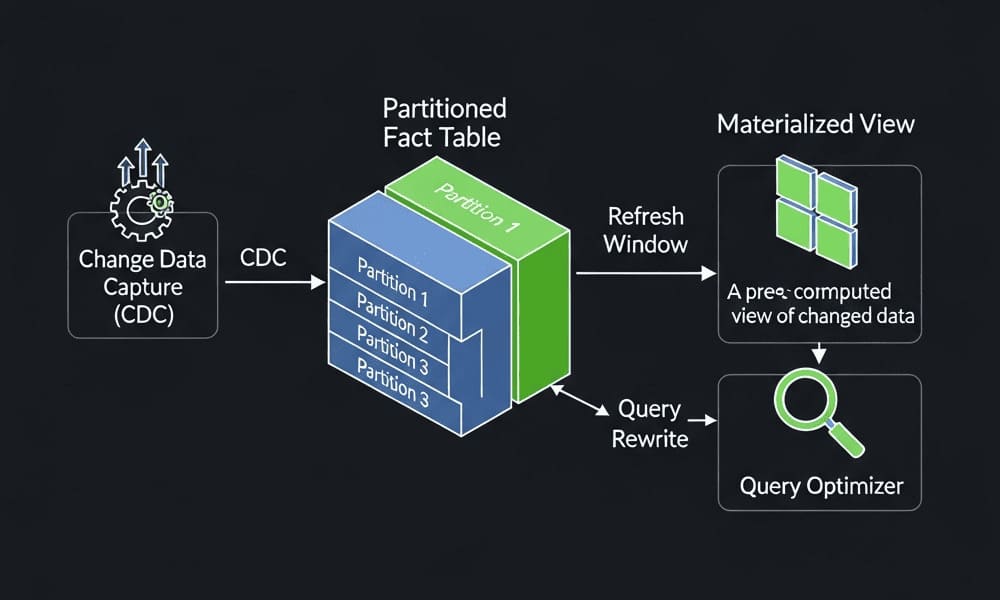
- Use result cache or materialized views for top tiles; refresh incrementally.
Anti-patterns
- Throwing RAM at the problem without measuring C, α, K.
- Joining on non-selective dimensions and expecting miracles.
- Over-indexing a column store like it is a row store.
Takeaways
- Speed is not RAM alone. You need columnar compression, vectorized operators, and star transformations working together.
- Size the hot set, not the lake. Keep the 90-180 day BI window in memory; let the rest live on disk/SSD.
- Measure, then buy. Calculate C × α × K × S before ordering more memory.
If dashboards still stutter, the likely causes are unselective dimensions, files that are too small, or an engine that is not truly vectorized - fix those before spending on hardware.
Leave a Comment