
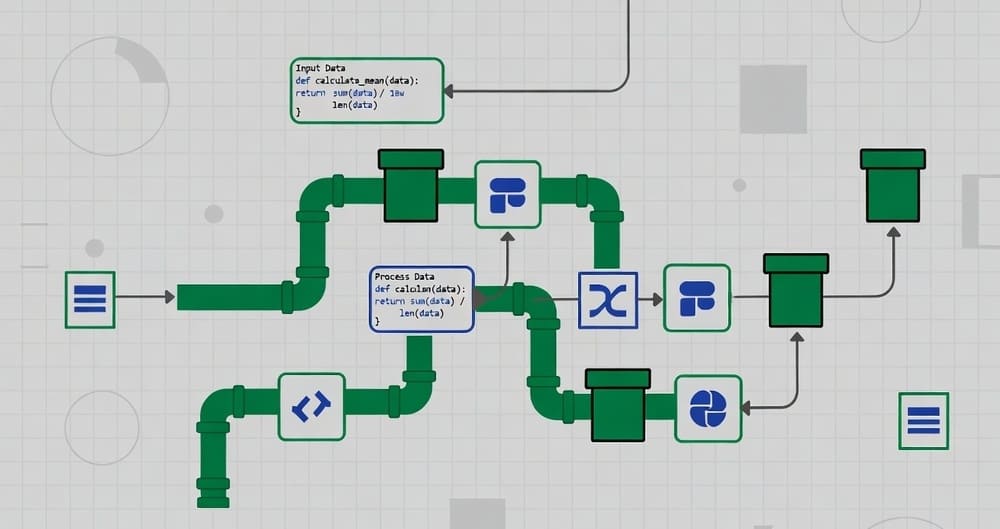
Luigi: Spotify’s Workflow Orchestration Tool That Started It All
Introduction
Before Airflow dominated data engineering, there was Luigi. Spotify built it in 2012 to handle their massive data pipelines. They open-sourced it in 2013, and it became one of the first modern workflow orchestration tools.
Luigi introduced ideas that seem obvious now. Define tasks as Python classes. Declare dependencies explicitly. Let the framework figure out execution order. Handle failures gracefully. Visualize what’s running.
The tool still works. Thousands of companies use it. But the ecosystem moved on. Airflow took Luigi’s concepts and added features teams wanted. Prefect and Dagster came next with even better developer experiences.
This guide covers what Luigi is, why it mattered, and whether it still makes sense in 2025. You’ll learn the core concepts, see how it compares to modern alternatives, and understand when it might still be the right choice.
What is Luigi?
Luigi is a Python workflow orchestration framework from Spotify. It helps you build complex pipelines of batch jobs with dependencies between them.
The core idea is simple. You write Python classes that represent tasks. Each task defines what it requires (dependencies) and what it produces (targets). Luigi figures out the execution order and runs tasks when their dependencies are ready.
Unlike systems that run as separate services, Luigi is a library. You import it into your Python code. The scheduler runs in the same process as your tasks. There’s a central scheduler for coordination, but it’s lightweight.
Spotify built Luigi to handle their data processing needs. They had Hadoop jobs that depended on each other. Manual orchestration became impossible at scale. Luigi automated it.
The name comes from Nintendo. Luigi is Mario’s brother, always in the background doing support work. Fitting for a workflow tool.
Core Concepts
Understanding Luigi means understanding a few key ideas.
Tasks are the basic unit of work. Each task is a Python class that inherits from luigi.Task. You define what the task does in the run() method.
Targets represent output. Tasks produce targets. Common targets are files on disk, HDFS files, or database rows. A task is complete when its target exists.
Requirements define dependencies. The requires() method returns other tasks that must complete first. Luigi builds a dependency graph from these declarations.
Parameters make tasks configurable. You can pass values to tasks when instantiating them. Parameters become part of the task’s identity.
The scheduler coordinates execution. It tracks which tasks are ready to run, running, or complete. The scheduler prevents redundant work and handles parallelism.
A Simple Example
Here’s a basic Luigi pipeline:
import luigi

class DownloadData(luigi.Task):
    date = luigi.DateParameter()

    def output(self):
        return luigi.LocalTarget(f'data/raw_{self.date}.csv')

    def run(self):
        # Download logic here
        with self.output().open('w') as f:
            f.write('downloaded data')

class ProcessData(luigi.Task):
    date = luigi.DateParameter()

    def requires(self):
        return DownloadData(date=self.date)

    def output(self):
        return luigi.LocalTarget(f'data/processed_{self.date}.csv')

    def run(self):
        # Read input
        with self.input().open('r') as infile:
            data = infile.read()

        # Process and write output
        with self.output().open('w') as outfile:
            outfile.write(data.upper())
Run it with:
luigi.build([ProcessData(date='2025-01-15')], local_scheduler=True)
Luigi checks if ProcessData output exists. If not, it checks dependencies. DownloadData runs first. Then ProcessData runs. If you run it again, Luigi skips both tasks because outputs already exist.
Task Dependencies
Luigi’s dependency system is its core strength. You declare what each task needs, and Luigi handles the rest.
Simple dependencies are straightforward. One task requires another.
class TaskB(luigi.Task):
    def requires(self):
        return TaskA()
Multiple dependencies are common. A task might need several inputs.
class TaskC(luigi.Task):
    def requires(self):
        return [TaskA(), TaskB()]
Dynamic dependencies let you generate requirements at runtime.
class ProcessAllRegions(luigi.Task):
    def requires(self):
        regions = ['us', 'eu', 'asia']
        return [ProcessRegion(region=r) for r in regions]
Conditional dependencies change based on parameters.
class ConditionalTask(luigi.Task):
    mode = luigi.Parameter()

    def requires(self):
        if self.mode == 'full':
            return FullProcessing()
        else:
            return QuickProcessing()
Luigi builds a directed acyclic graph from these dependencies. It runs tasks in topological order, maximizing parallelism where possible.
Parameters and Configuration
Parameters make tasks reusable. Same task logic, different inputs.
Basic parameters handle common types:
class MyTask(luigi.Task):
    date = luigi.DateParameter()
    count = luigi.IntParameter(default=10)
    name = luigi.Parameter()
Parameter types include strings, integers, floats, dates, booleans, lists, and dictionaries. Each has validation built in.
Configuration files let you set defaults without changing code. Luigi reads from luigi.cfg:
[MyTask]
count = 20
name = default_name
Global parameters apply to all tasks. Useful for environment-specific settings.
Parameters become part of a task’s identity. Two tasks with different parameters are different tasks. This affects caching and execution.
Targets and Output
Targets represent task output. Luigi checks targets to determine if tasks need to run.
LocalTarget writes to the local filesystem:
def output(self):
    return luigi.LocalTarget('output.txt')
HdfsTarget for Hadoop clusters:
def output(self):
    return luigi.contrib.hdfs.HdfsTarget('/data/output')
S3Target for Amazon S3:
def output(self):
    return luigi.contrib.s3.S3Target('s3://bucket/key')
Custom targets for anything else. Implement exists() to check if output is ready.
The target system makes Luigi idempotent. Run the same pipeline twice, and Luigi skips tasks whose outputs already exist.
The Scheduler
Luigi has two scheduler modes.
Local scheduler runs in your process. Good for development and testing. Single machine execution.
luigi.build([MyTask()], local_scheduler=True)
Central scheduler coordinates multiple workers. Run it as a service:
luigid
Workers connect to it:
luigi.build([MyTask()]) # Connects to central scheduler by default
The central scheduler tracks task state across workers. It prevents multiple workers from running the same task. It provides the web UI for monitoring.
The scheduler is simpler than Airflow’s. Less configuration, fewer features, but easier to operate.
Error Handling
Tasks fail. Luigi handles this in several ways.
Retry logic attempts failed tasks multiple times:
class MyTask(luigi.Task):
    retry_count = 3

    def run(self):
        # Task logic
        pass
Failure tracking marks tasks as failed. Dependent tasks don’t run.
Email notifications alert on failures:
[core]
error-email = admin@example.com
Logging captures task output. Check logs to debug failures.
Luigi doesn’t have sophisticated error handling like newer tools. No exponential backoff. No partial retries. You build these yourself if needed.
Monitoring and Visualization
The Luigi web UI shows pipeline status. Start the central scheduler and visit http://localhost:8082.
The UI displays:
- Running tasks and their progress
- Completed tasks with timing information
- Failed tasks with error messages
- Dependency graphs visualizing task relationships
- Historical runs and their outcomes
The visualization helps debug pipelines. See which task failed. Understand dependencies. Track execution time.
The UI is basic compared to modern tools. No drill-down into individual task runs. Limited filtering and search. But it covers the essentials.
Integration with Big Data Tools
Luigi started at Spotify for Hadoop workflows. Big data integration is strong.
Hadoop support is built in. Run MapReduce jobs, check HDFS files, manage Hadoop workflows.
Spark integration exists through contrib modules. Submit Spark jobs as Luigi tasks.
Hive queries work through the Hive contrib module. Run queries, check table existence, manage partitions.
Pig scripts can be orchestrated through Luigi.
Redshift has contrib support for running queries and managing tables.
These integrations made Luigi powerful for data engineering teams in the early 2010s. Many are less maintained now as the ecosystem shifted.
When Luigi Makes Sense
Luigi isn’t the default choice anymore. But it still fits certain scenarios.
Legacy pipelines already on Luigi don’t need to migrate. If it works, changing has costs.
Simple workflows benefit from Luigi’s lightweight approach. No complex setup. Import a library and go.
Python-centric teams that want pure Python might prefer Luigi over YAML-heavy tools.
Small teams without devops resources can run Luigi easily. The operational burden is low.
Prototype and development work where you want fast iteration. Luigi’s local scheduler is immediate.
Learning workflow concepts is easier with Luigi. The codebase is smaller than Airflow. Concepts are clearer.
When Luigi Doesn’t Make Sense
Several scenarios push you toward alternatives.
Large teams need features Luigi lacks. Better UI, more sophisticated scheduling, fine-grained access control.
Complex workflows with dynamic dependencies and complex retry logic outgrow Luigi quickly.
Cloud-native architectures don’t align well. Luigi expects long-running processes. Serverless and container-based workflows are awkward.
Real-time or streaming workloads aren’t Luigi’s strength. It’s built for batch processing.
Strong monitoring requirements exceed Luigi’s capabilities. Enterprise teams need better observability.
Growing pipelines hit Luigi’s limitations. Airflow and newer tools scale better.
Comparison with Modern Alternatives
Luigi vs Airflow
Airflow is Luigi’s spiritual successor. Maxime Beauchemin created Airflow at Airbnb, influenced heavily by Luigi.
Architecture: Luigi is a library. Airflow is a platform. Airflow has more components but more capabilities.
Scheduling: Airflow has sophisticated scheduling with cron expressions, timezones, and SLAs. Luigi scheduling is basic.
UI: Airflow’s UI is significantly better. More information, better visualization, easier debugging.
Ecosystem: Airflow has hundreds of operators and integrations. Luigi’s ecosystem is smaller and less active.
Complexity: Luigi is simpler to set up and operate. Airflow requires more infrastructure and expertise.
Use Airflow for production data pipelines at scale. Use Luigi for simpler workflows or legacy systems.
Luigi vs Prefect
Prefect is a modern Python workflow engine focused on developer experience.
API design: Prefect’s API is cleaner. Luigi’s class-based approach feels dated compared to Prefect’s functional decorators.
Error handling: Prefect has sophisticated retry policies, exponential backoff, and failure hooks. Luigi’s is basic.
Execution model: Prefect separates orchestration from execution. Luigi couples them tightly.
Cloud integration: Prefect Cloud offers hosted orchestration. Luigi requires self-hosting.
Maturity: Luigi is older and more battle-tested. Prefect is newer with active development.
Use Prefect for new projects where developer experience matters. Use Luigi if you want something proven and simple.
Luigi vs Dagster
Dagster takes a different approach with software-defined assets.
Mental model: Dagster thinks in terms of data assets. Luigi thinks in terms of tasks. This is a fundamental difference.
Type system: Dagster has strong typing and validation. Luigi has basic parameter types.
Testing: Dagster’s testing framework is excellent. Luigi testing is manual.
Learning curve: Dagster has a steeper learning curve. Luigi is more straightforward.
Data quality: Dagster has built-in data quality checks. Luigi doesn’t.
Use Dagster when building data platforms where assets and lineage matter. Use Luigi for simpler task orchestration.
Real-World Usage
Luigi is still in production at many companies, though adoption has slowed.
Spotify continues using Luigi internally, though they’ve built additional tooling around it.
Foursquare built their data infrastructure on Luigi for years.
Stripe used Luigi in early data pipelines before migrating to other tools.
Academia adopted Luigi for research workflows. It’s cited in papers about workflow orchestration.
Many companies migrated from Luigi to Airflow between 2016 and 2020. The trend continues toward newer tools.
Limitations and Pain Points
Several issues come up repeatedly with Luigi.
No built-in scheduling. Luigi runs tasks when you trigger them. Cron or external schedulers handle periodic execution. This feels incomplete compared to modern tools.
Basic UI. The visualization is functional but limited. No drill-down, limited historical data, basic filtering.
Primitive retry logic. No exponential backoff, no conditional retries, limited failure handling.
Scalability concerns. Luigi works at moderate scale but struggles with thousands of tasks or high-frequency pipelines.
Documentation gaps. Official docs cover basics well but advanced patterns lack good examples.
Maintenance status. Development slowed significantly. The last major features were added years ago. Bug fixes and minor updates continue, but innovation stopped.
No native cloud support. Built for on-premise Hadoop clusters. Cloud integrations exist but feel bolted on.
Best Practices
If you’re using Luigi, these patterns help.
Use the central scheduler in production. Local scheduler is only for development.
Implement proper logging. Luigi’s logging is basic. Add structured logging to tasks for better debugging.
Version task outputs. Include dates or versions in target paths. This prevents accidental overwrites and enables reprocessing.
Keep tasks small. Large monolithic tasks are hard to debug and retry. Break them into smaller pieces.
Test tasks independently. Write unit tests for task logic separate from Luigi framework.
Handle failures explicitly. Don’t rely on Luigi’s basic retry. Implement application-level error handling.
Monitor task duration. Long-running tasks might indicate problems. Track and alert on execution time.
Document dependencies. Complex dependency graphs are hard to understand. Add comments explaining why dependencies exist.
Use parameters wisely. Too many parameters make task identity complex. Keep it simple.
Migration Strategies
Many teams eventually migrate from Luigi. Here’s how to do it smoothly.
Assess current state. Document all existing workflows, dependencies, and scheduling requirements.
Choose replacement carefully. Airflow, Prefect, or Dagster depending on your needs. Don’t just pick the trendy option.
Migrate incrementally. Don’t rewrite everything at once. Move one workflow at a time.
Run in parallel. Keep Luigi running while building new workflows in the replacement. This reduces risk.
Test thoroughly. Workflows in production are critical. Extensive testing before cutover prevents disasters.
Preserve execution history. Export Luigi run history before decommissioning. Historical data helps with debugging.
Update monitoring. Ensure alerts and dashboards work with the new system before removing Luigi.
Document the new system. Help the team understand the replacement. Don’t assume familiarity.
The Historical Context
Luigi matters historically. It shaped how we think about workflow orchestration.
Before Luigi, teams used cron and shell scripts. Dependencies were implicit. Failures were silent. Monitoring meant tailing log files.
Luigi introduced declarative dependencies. Python classes representing tasks. Automatic execution order. Built-in monitoring.
These ideas influenced everything that came after. Airflow extended them. Prefect refined them. Dagster reimagined them.
Understanding Luigi helps you appreciate modern tools. They’re reactions to Luigi’s limitations and evolutions of its strengths.
Current Status and Future
Luigi development has slowed significantly. The last major version was years ago. Updates are mostly maintenance.
This doesn’t mean it’s dead. Stable software can last decades. Luigi works and will continue working.
But new features are unlikely. The team at Spotify focuses elsewhere. The community is small and less active.
For new projects, other tools make more sense. For existing Luigi installations, migration makes sense if you’re hitting limitations. Otherwise, it’s fine to keep running it.
Key Takeaways
Luigi was pioneering when it launched. It brought sanity to batch workflow orchestration at a time when options were limited.
The core ideas remain sound. Tasks with dependencies. Idempotent execution through targets. Python-based definition. These concepts work.
But the ecosystem moved on. Airflow, Prefect, Dagster, and others offer more features, better UX, and active development.
Luigi still fits certain niches. Legacy systems, simple workflows, lightweight requirements, learning workflow concepts.
For new projects in 2025, other tools are better choices. They build on Luigi’s foundation and add capabilities modern teams need.
If you’re using Luigi successfully, no need to panic. It still works. But plan eventual migration as your needs grow.
Luigi deserves recognition for shaping the field. It showed what workflow orchestration could be. That legacy lives on in every tool that followed.
Tags: Luigi, workflow orchestration, Python workflows, batch processing, task dependencies, data pipelines, ETL orchestration, Spotify engineering, workflow automation, pipeline orchestration, Hadoop workflows, data engineering tools, legacy workflow tools, task scheduling, Python data engineering




